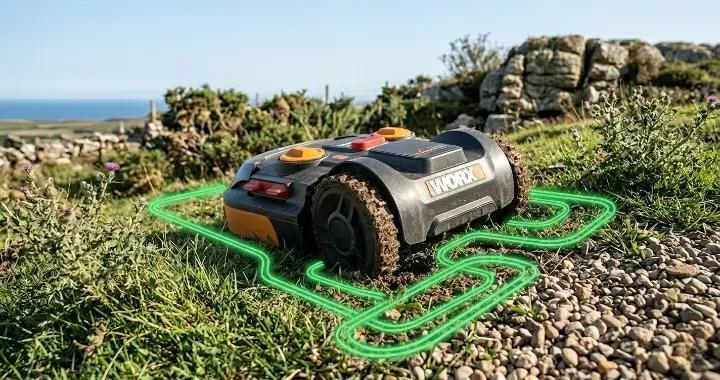


Installing a boundary wire is one of the first and most important steps when setting up a robot mower. The wire creates an invisible border that tells the mower where it can cut and where it should turn around.
A proper installation does more than keep the mower inside your lawn. It also helps improve navigation, reduces the chance of errors, and makes it easier for the mower to find its way back to the charging station.
The process may seem complicated at first, but most homeowners can install the wire themselves with a few basic tools and some careful planning.
This guide will walk you through the entire process step by step. The installation principles are similar for most robot mowers, including Husqvarna Automower, Worx Landroid, Gardena, and many other popular models.
What Is a Robot Lawn Mower Boundary Wire and Why Is It Important?
A robot mower boundary wire is a low-voltage cable that defines the mowing area. It works together with the charging station to create a signal that the mower can detect while it moves around the yard.
As the mower approaches the wire, it knows it has reached the edge of the lawn and changes direction. This allows it to mow automatically without leaving the designated area.
The boundary wire can also be used to create protected zones around places where you do not want the mower to go, such as flower beds, ponds, or newly planted trees. These protected areas are often called "islands."
A correctly installed wire system helps the mower:
- Stay inside the mowing area.
- Avoid obstacles.
- Cover the lawn more efficiently.
- Return to the charging station without getting lost.
Many robot mowers can safely bump into solid objects like mature trees, so not every obstacle needs its own wire island. Planning the layout carefully before installation will help you decide which areas actually need protection.
Planning Your Robot Mower Wire Installation Before You Start
A little preparation can save a lot of time later. Before laying the wire, take a few minutes to plan the layout of your lawn and decide where the charging station and guide wire will go.
Measure and Map Your Lawn
Walk around your yard and make a simple sketch of the mowing area. Include important features like flower beds, sidewalks, fences, trees, and narrow passages.
This rough plan will help you estimate how much wire you need and identify areas that may require extra attention during installation.
Choose the Best Location for the Charging Station
The charging station should be placed on flat ground with enough open space in front of it for the mower to dock and leave easily.
If possible, choose a location near the center of the mowing area and close to a power outlet. A shaded location is often a good choice, as it helps protect the battery and charging station from excessive heat.
Planning Your Robot Mower Wire Installation Before You Start
Before you start laying any wire, it’s important to plan your installation carefully. Proper planning saves time and helps prevent problems later.
Select the Right Wire
Not all wires are created equal. Most robot mower manufacturers recommend a low-voltage, weather-resistant wire designed for robotic lawn mowers.
A thicker or higher-quality wire is less likely to break over time, especially in areas where the wire may be exposed to foot traffic, garden tools, or shifting soil.
User Tip: One Husqvarna Automower owner on Facebook suggested using MeyerWire for extra durability. They mentioned it is stronger than the standard “heavy-duty” wires and holds up well in both sunny and wet conditions.
What are tips for installing boundary wire for Husqvarna Automower 430xh?
View PostPlan the Wire Route
Think about how the wire will run around your lawn, obstacles, and narrow passages.
- Keep wires away from areas with frequent digging or garden work.
- Avoid sharp corners where the mower could get stuck.
- Plan “islands” for ponds, flower beds, or new plants.
A good rule of thumb is to leave about 10–15 cm (4–6 inches) of space between the wire and hard obstacles. This prevents accidental collisions and helps the mower follow the edge smoothly.
- Mark the route on your lawn with temporary flags or stakes.
- Make sure you have enough wire for the full loop, including a little extra for connections and guide wires.
Pro Tip: Before permanently securing the wire, lay it loosely above ground and test the mower. Adjust distances and curves as needed to ensure smooth navigation before staking or burying the wire.
How to Install a Robot Mower Boundary Wire (Step-by-Step)
Installing the boundary wire correctly is crucial for your robot mower to navigate the lawn efficiently. Follow these steps carefully to ensure the mower stays within the desired area.
Prepare Your Tools and Materials
Before starting, gather everything you need:
- Robot mower installation kit (boundary wire, guide wire, stakes, couplers)
- Wire cutters and pliers
- Spade (if you plan to bury the wire)
- Tape measure
- Optional: a small hammer to secure stakes
Make sure you have enough wire for your entire lawn plus some extra for connections and guide wires. Preparing everything in advance will make the installation faster and smoother.
Start from the Charging Station
Begin at the charging station, which is the hub of your system.
- Secure one end of the boundary wire to the charging station. Leave about 50 cm (20 inches) of extra wire for the connection.
- Plan where the guide wire will connect to the boundary wire. Leave a small loop at this spot to make the connection easier later.
- Begin laying the wire along the lawn edge, keeping it straight and at the planned distance from obstacles.
User Tip: Some Husqvarna Automower owners suggest leaving a little slack in the wire instead of pulling it tight. This helps the wire withstand seasonal ground movement without stressing the cable.
What are tips for installing boundary wire for Husqvarna Automower 430xh?
View PostLay the Wire Around the Lawn Edge
After starting from the charging station, continue laying the boundary wire along the perimeter of your lawn.
- Keep the wire at a consistent distance from fences, walls, or hard objects.
- Avoid sharp corners or kinks; gentle curves help the mower turn smoothly.
- For long straight sections, place stakes every 70–80 cm (2–3 ft) to keep the wire in place.
Check as you go that the wire stays flat on the ground and isn’t twisted or tangled.
Create Islands Around Obstacles
If you have trees, flower beds, ponds, or other obstacles in the middle of the lawn, you need to create “islands” by looping the wire around them.
- Make sure the loop direction is correct; the mower will treat it as a separate area.
- Keep the wire at least 10–15 cm (4–6 in) away from the obstacle edge.
- Avoid crossing wires, as this can confuse the mower’s sensors.
User Tip: A Husqvarna Automower owner on Facebook suggested that trees with exposed roots don’t always need full loops. The mower can handle gentle bumps, but make sure roots won’t damage the blades.
What are tips for installing boundary wire for Husqvarna Automower 430xh?
View PostInstall the Guide Wire
The guide wire helps the mower find its way back to the charging station efficiently.
- Start from the rear of the charging station and run the guide wire along the planned route.
- Leave 50 cm (20 in) of extra wire at both ends for connections.
- The wire should run straight through narrow passages and connect to the boundary wire at the planned loop point.
- Secure it with stakes along the way, keeping the wire flat and tension-free.
Once installed, the guide wire ensures your mower can navigate complex lawn areas without getting stuck.
Secure or Bury the Wire
Once all wires are laid:
- Above Ground: Use stakes to secure the wire every 70–80 cm (2–3 ft) along the route. Make sure the wire is flat and tension-free.
- Burying: If you want a cleaner look, dig a shallow trench 2–5 cm (1–2 in) deep. Place the wire in the trench and cover it with soil. This also helps protect the wire from lawn equipment or foot traffic.
Check that wires around corners, narrow passages, and obstacles remain flat and untangled.
Connect the Wires to the Charging Station
After laying the boundary and guide wires:
- Route the wire ends through the openings on the charging station.
- Insert the wires fully into the connectors and fold or squeeze as instructed by the manufacturer.
- Cut off any excess wire, leaving a small extra length for future adjustments if needed.
- Double-check that the left boundary wire connects to the left terminal, the right to the right terminal, and the guide wire connects correctly.
- Place the charging station on the ground and secure it with the supplied screws.
Once connected properly, the station LED should light up (usually green), indicating the mower can detect the boundary and guide wires.
Pro Tip: Before burying the wire or permanently staking it, run the mower around the route above ground to make sure it navigates smoothly. Adjust curves, distances, and loops as needed. Testing first saves time and prevents troubleshooting later.
Robot Mower Boundary Wire Installation Tips for the Best Results
Even if your boundary wire is installed correctly, small details can make a big difference in how smoothly your robot mower performs. These tips will help you improve navigation, reduce future issues, and get a cleaner cut.
Avoid Stretching the Wire Too Tightly
One of the most common installation mistakes is pulling the wire too tight between stakes.
The wire should sit naturally on the ground with a little slack. This allows for small ground movements caused by rain, heat, or seasonal changes.
If the wire is too tight, it can slowly build stress at connection points and eventually lead to breaks.
Keep Corners and Turns Smooth
Sharp corners can confuse the mower and reduce cutting efficiency.
Instead of creating tight angles, use wide and gradual curves when turning around fences, flower beds, or paths.
This helps the mower follow the boundary more smoothly and reduces unnecessary turning in the same spot.
Plan for Future Maintenance
Even a well-installed system may need small adjustments over time.
- Leave extra wire near the charging station for future reconnections
- Mark important splice or connection points so they are easy to find later
- Avoid burying connectors too deep, or you may have trouble accessing them later
A little planning now can save a lot of troubleshooting later.
Be Careful Around High-Traffic Areas
Areas like garden paths, gates, or narrow passages are more likely to experience wear and tear.
In these spots:
- Make sure the wire is fully secured with stakes
- Avoid leaving loose sections where it could be stepped on or pulled
- Consider adding extra protection if garden tools are frequently used nearby
These are often the first places where installation problems appear over time.
Pro Tip: The best installations are not the ones that look perfect on day one, but the ones that are easy to adjust later. Always prioritize flexibility over perfection when laying your boundary wire.
Should You Install the Boundary Wire Above Ground or Underground?
Deciding whether to install your robot mower boundary wire above ground or underground depends on your lawn, aesthetic preferences, and how permanent you want the setup to be. Both options work well, but each has advantages and trade-offs.
Above-Ground Installation
Installing the wire above ground is faster and easier.
- Wire is simply laid on the lawn and secured with stakes.
- Adjustments are easy—if you want to move an obstacle or change your layout, you can reposition the wire quickly.
- Stakes can be removed or replaced as needed.
Above-ground wire is ideal for temporary setups, renters, or new lawns where you may still be experimenting with layout.
Considerations:
- ✔Wire is visible, which may affect the look of your lawn.
- ✔The wire is more exposed to foot traffic, pets, or garden tools.
Underground Installation
Burying the boundary wire makes for a cleaner, more permanent setup.
- Wire is placed in a shallow trench 2–5 cm (1–2 in) deep and covered with soil.
- It is mostly invisible and won’t interfere with mowing or walking on the lawn.
- Better protection against accidental damage from foot traffic, pets, or gardening.
Considerations:
- ✔Installation takes more time and effort.
- ✔Adjustments require digging up the wire, which can be inconvenient.
- ✔Make sure to leave extra wire at connectors and near the charging station for future maintenance.
Extending, Repairing, and Maintaining Your Boundary Wire
Over time, you may need to extend your wire for a larger lawn, repair a damaged section, or simply maintain the system to ensure optimal mower performance. Here’s how to handle each situation.
Extending the Boundary Wire
If you want to add more mowing area:
- Turn off the mower and unplug the charging station.
- Use a coupler to join the new wire section to the existing boundary wire. Make sure the connection is secure and fully inserted.
- Lay the extended wire along the new area following the same guidelines as your original installation (distance from obstacles, curves, and stakes).
- Connect the new wire to the charging station and test the system.
Always leave a little extra wire at connection points to allow for future adjustments.
Maintaining the Boundary Wire
Regular maintenance helps prevent problems before they happen:
- Inspect stakes periodically to ensure the wire hasn’t come loose.
- Check for wear or damage, especially in high-traffic areas.
- Keep wires away from garden tools, sharp objects, and aggressive pets.
- If the wire is above ground, remove debris and grass that could press on the wire or affect the mower’s sensors.
Regular checks reduce the likelihood of unexpected mower errors and extend the life of your installation.
Repairing a Damaged Wire
If a section of your wire breaks:
- Locate the damaged section. You may need a wire tester or multimeter.
- Cut out the broken segment and use a waterproof coupler to join the ends.
- Make sure the coupler is fully seated and secure.
- Test the system by checking the mower’s signal before covering or staking the wire again.
Pro Tip: Whenever extending, repairing, or maintaining the wire, test your mower above ground first. Running the mower along the boundary ensures that all connections work and the layout is correct before finalizing stakes or burying the wire.
Common Boundary Wire Installation Mistakes
Even experienced users can make mistakes when installing a robot mower boundary wire. Recognizing these common errors will help you avoid frustration and ensure your mower works smoothly.
Pulling the Wire Too Tight
Stretching the wire too tightly between stakes can create stress points, which may lead to breaks over time.
- Always leave a little slack in the wire to allow for ground movement caused by rain, heat, or frost.
- Loose ends at corners or loops are better than overly stretched wire, which can damage connectors.
Crossing Wires
Crossing boundary or guide wires can confuse the mower’s sensors.
- Make sure wires forming islands around obstacles do not intersect.
- If wires must cross, do so at a perpendicular angle and keep them separated using spacers or tape to avoid shorting the signal.
Incorrect Wire Distances from Obstacles
Placing wires too close or too far from fences, trees, or flower beds can cause problems:
- Too close: The mower may collide with the obstacle.
- Too far: The mower may leave uncut patches of grass along edges.
Use a measuring tool, like the included Automower ruler, to maintain consistent distances.
Not Securing Wires Properly
Improperly secured wires can lift off the ground or move over time:
- Use stakes every 70–80 cm (2–3 ft) along straight sections.
- Add extra stakes in uneven areas, near slopes, or around corners.
- For buried wires, ensure the trench is deep enough to prevent accidental exposure.
Pro Tip: After installation, always run your mower in “test mode” before fully staking or burying the wire. This allows you to catch mistakes, adjust distances, and make sure the mower navigates smoothly around corners, obstacles, and narrow passages.
H2: Are Wire-Free Robot Mowers Worth Considering?
Wire-free robot mowers are becoming more popular as GPS and vision-based systems improve. Instead of installing a boundary wire, these mowers use satellite positioning, cameras, or sensors to define the mowing area.
This sounds convenient, but it’s not always the best choice for every homeowner.
How Wire-Free Robot Mowers Work
Wire-free models rely on advanced navigation systems:
- GPS or RTK positioning to map your lawn
- Cameras or sensors to detect edges and obstacles
- Software-based virtual boundaries set through an app
Once the lawn is mapped, the mower follows a digital boundary instead of a physical wire.
H3: Advantages of Wire-Free Systems
Wire-free mowers offer several benefits:
- No physical wire installation required
- Easier setup, especially for complex lawns
- Simple adjustments through a mobile app
- Cleaner appearance with no visible or buried cables
They can be especially useful for homeowners who want a fast setup or frequently change their lawn layout.
Limitations to Keep in Mind
Despite the convenience, wire-free systems still have some drawbacks:
- Higher upfront cost compared to wire-based systems
- GPS signal can be affected by trees, buildings, or narrow areas
- Some models require a strong internet or reference station signal
- Less predictable performance in complex or shaded yards
For many homeowners, especially those with simple lawns, traditional boundary wire systems are still more reliable.
Which Option Is Better for Most Homeowners?
For most users, especially first-time robot mower owners, a boundary wire system is still the better choice.
It is:
- More stable
- Less dependent on signal conditions
- Easier to troubleshoot
- More affordable
Wire-free systems make sense if you want maximum convenience and are willing to pay more for advanced technology, but they are not necessary for most standard lawns.
Pro Tip: If you are unsure which system to choose, start with a boundary wire mower. It gives you more control, better reliability, and a lower cost of entry. You can always switch to a wire-free system later as the technology improves.
Conclusion
Installing a boundary wire for your robot mower may seem tricky at first, but it is a one-time effort that ensures years of hassle-free mowing. By planning your layout carefully, laying wires correctly, and maintaining them over time, you can help your mower navigate smoothly and keep your lawn perfectly trimmed.
Even with the rise of wire-free robot mowers, traditional boundary wire systems remain reliable, cost-effective, and easy to troubleshoot. Follow the step-by-step guide, apply the tips for best results, and you’ll enjoy a perfectly cut lawn with minimal effort.