

A broken boundary wire is one of the most common problems with robot lawn mowers.
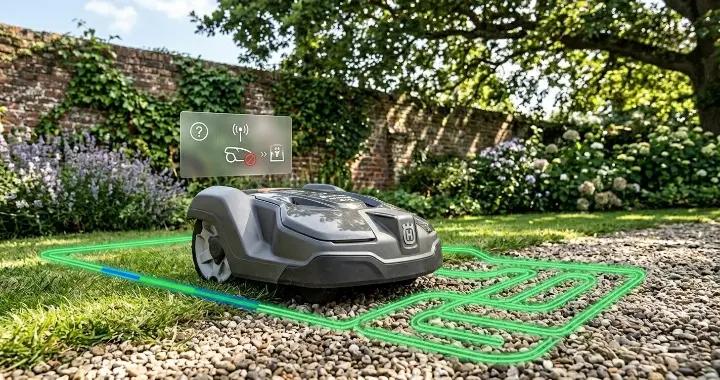
When this wire is damaged, your mower cannot understand where your lawn starts or ends. As a result, it may stop working, leave the mowing area, or fail to return to the charging station.
You might also see warning lights on the base station or an error message like “no loop signal.”
The good news is that this problem is usually easy to fix. In most cases, you do not need to replace the entire system. You only need to find the break and repair a small section of wire.
This guide will show you step by step how to find, fix, and prevent boundary wire problems. It works for most robot mowers, including popular models like Husqvarna Automower, Worx Landroid, and other similar systems.
What Happens When a Boundary Wire Breaks?
A boundary wire is what tells your robot mower where it is allowed to mow. It creates a closed loop around your lawn. The mower uses this loop signal to navigate safely and return to the charging station.
When the wire breaks, the loop is interrupted. This means the signal can no longer travel through the full circuit.
As a result, the mower becomes “confused” and stops working correctly.
Common symptoms of a broken boundary wire
Here are the most common signs that your boundary wire is broken:
- The charging station shows a flashing blue light (common on Husqvarna models)
- The mower displays a “no loop signal” error
- The robot stops mowing suddenly
- The mower cannot return to the charging station
- It moves outside the mowing area
- The app shows a boundary or loop error
Why the mower stops working
Robot mowers rely on a continuous electrical signal in the boundary wire.
When the wire is intact:
- The signal forms a complete loop
- The mower can detect boundaries
- Navigation works normally
When the wire is broken:
- The loop is open
- The signal stops at the break
- The mower loses reference of its working area
Even a very small break or loose connector can cause the whole system to fail.
Important note
In many cases, the problem is not a fully broken wire.
It is often caused by:
- Loose connectors
- Corroded joints
- Poorly crimped repair points
This is why checking connections is just as important as finding physical damage in the wire.
What Causes a Robot Mower Boundary Wire to Break?
A robot mower boundary wire is designed to stay in your yard for years. But in real outdoor conditions, it is exposed to soil movement, weather, and human activity. Over time, these factors can damage the wire or its connections.
In many cases, the wire does not break suddenly. It slowly weakens until the signal stops working.
Below are the most common reasons why a boundary wire breaks.
Garden tools and yard work
One of the most common causes is accidental damage during yard work.
For example:
- Digging with a shovel
- Installing plants or sprinklers
- Aerating or edging the lawn
Even if the wire is buried slightly underground, it can still be cut or pulled out during landscaping work.
Many users only notice the problem after the mower suddenly stops working.
Pets and wildlife
Animals can also damage the boundary wire over time.
Common cases include:
- Dogs digging in the yard
- Squirrels or rodents chewing exposed sections
- Wild animals disturbing loose wire near the surface
This is more likely to happen if the wire is not fully buried or secured with enough pegs.
Loose or poorly installed connectors
In real-world troubleshooting, this is one of the most overlooked causes.
Many “broken wire” cases are actually caused by:
- Connectors not fully closed
- Wires not inserted all the way into the splice
- Corrosion in older connectors
- Water getting into cheap or worn-out connectors
From user reports in DIY communities, connector issues are often mistaken for a broken wire because the symptoms look the same.
Weather, soil movement, and aging
Even if nothing physically touches the wire, it can still degrade over time.
Common environmental factors include:
- Freezing and thawing cycles in winter
- Soil shifting after heavy rain
- Tree roots slowly pushing or stretching the wire
- UV exposure on any exposed sections
Over time, these small movements can weaken the wire or stress a connection point until it fails.
Accidental cuts from lawn equipment
Lawn mowers, trimmers, and edgers can sometimes hit the boundary wire if it is too close to the surface.
This usually happens when:
- The wire was not buried deep enough
- The lawn edge was trimmed aggressively
- The mower blade accidentally catches a loose section
This type of break is often easy to spot once you start inspecting the lawn closely.
Before You Start: Rule Out Simple Problems
Before you start digging up your lawn or looking for a wire break, it is important to rule out simple issues first. In many cases, the problem is not actually a broken boundary wire. It is something small, like a loose connection or a temporary signal issue.
Taking a few minutes to check these basic points can save you a lot of time.
Check the charging station power
Start by looking at the charging station.
Make sure:
- The station is plugged into a working power outlet
- The power cable is not damaged
- The station indicator light is on
If there is no power at all, the issue is not the boundary wire.
Check the indicator light on the base station
Most robot mower charging stations use a light to show system status.
Common signals include:
- Solid green: normal operation
- Flashing blue: loop or boundary wire problem
- Red or error light: system fault (varies by brand)
For example, on many Husqvarna models, a flashing blue light usually indicates a loop signal issue.
Inspect boundary wire and guide wire connections
Loose or poorly connected wires are one of the most common causes of “fake wire breaks.”
Check:
- Wire ends are fully inserted into connectors
- Connectors are fully closed and locked
- No visible corrosion or water inside connectors
- Guide wire connections are secure at the base station
Even a slightly loose connector can interrupt the loop signal.
Restart the system
Sometimes the issue is temporary.
Try:
- Turning off the mower
- Turning off the charging station power (if possible)
- Waiting 1–2 minutes
- Turning everything back on
This can reset the loop signal and clear temporary errors.
Swap or test wires (advanced but useful)
If your mower uses both a boundary wire and a guide wire, you can sometimes swap them at the base station.
This helps you determine:
- Whether the issue is in the boundary loop
- Or in the guide wire section
If the error changes after swapping, it gives you a strong clue about where the problem is.
When to move to full troubleshooting
If all the steps above do not fix the issue, then it is likely that:
- The boundary wire is actually broken, or
- There is a hidden connection failure underground
At this point, you can move on to detailed wire detection and repair steps.
How to Find a Broken Boundary Wire
Finding a broken boundary wire is the most important step in fixing your robot mower. The goal is to locate the exact spot where the loop is interrupted so you can repair it.
There are several ways to do this, from simple visual inspection to using basic tools. The following methods are safe, easy, and commonly used by DIY users.
Inspect the Wire Visually
Start by walking around your yard and looking for any signs of damage to the boundary wire.
Things to check for include:
- Exposed wire: Sometimes the wire pokes out of the soil after digging, heavy rain, or soil movement.
- Loose pegs: If the wire is not properly pegged down, it can move or get caught in lawn equipment.
- Signs of digging: Pets, children, or wildlife may dig small holes and pull the wire out.
- Recent lawn work: Check areas where you recently used shovels, aerators, or trimmers.
Tip from Reddit users:
One user reported that their break was caused by a small hole dug near the guide wire. The wire had been pulled slightly out of the ground, and the mower immediately showed a loop error.
Even if you cannot see a full cut, any exposed or damaged section should be treated as suspicious. Mark these spots with flags or pegs—they might be the break point.
Repairing a Boundary Wire
View DiscussionUse the Charging Station Indicator Light
Your robot mower’s charging station is a simple tool to help locate a wire problem. Most stations have indicator lights that show the loop status.
How to use it:
- Observe the light
- ✔Solid green usually means the loop is fine.
- ✔Flashing blue often indicates a boundary wire or loop signal issue (common on Husqvarna models).
- ✔Red or other error lights mean a general system problem.
- Test sections of wire
- ✔Disconnect the wire at the charging station one section at a time (if possible).
- ✔Reconnect and check whether the light changes.
- Narrow down the area
- ✔If the indicator changes when a certain section is disconnected, the break is likely in that area.
User tip:
Facebook and Reddit users often recommend checking all connectors at the base station first. Many so-called “broken wires” are actually caused by loose or corroded connections. Ensuring the base connections are tight can save hours of unnecessary digging.
How to fix a broken boundary wire in an automower?
View PostSwap the Guide Wire and Boundary Wire
If your robot mower uses a guide wire (many models like Husqvarna and similar systems do), you can use a simple swap test to narrow down the problem.
This method is very useful because it helps you quickly understand whether the issue is in the boundary loop or the guide wire system.
How it works:
- Turn off the charging station.
- Disconnect the boundary wire and guide wire from the base station.
- Swap their positions (plug the boundary wire into the guide wire terminal, and vice versa).
- Turn the system back on.
What the result means:
- If the error message or flashing light changes, the problem is likely in the wire you moved.
- If nothing changes, the issue is likely elsewhere, such as another section of wire or a connector problem.
This method is widely recommended in DIY forums because it helps eliminate guesswork without digging up your whole yard.
Many users report that the issue is not a full wire break, but a bad connection at a splice point near the base station.
Use an AM Radio or Wire Tracer
If visual inspection and wire swapping do not help, the next step is using a detection tool.
Two common tools are:
- A simple AM radio
- A dedicated wire tracer tool
Using an AM radio (budget method)
Some robot mower users use a cheap AM radio to detect the signal from the boundary wire.
How to do it:
- Tune the radio to a quiet frequency (no music or clear station)
- Walk slowly along the boundary wire path
- Listen for changes in static or signal noise
If the signal suddenly becomes weaker or disappears, you may be close to the break point.
This method is not perfect, but it can help narrow down the search area.
Using a wire tracer (more accurate method)
A wire tracer is a small tool designed specifically for finding breaks in underground wires.
It works by sending a signal through the wire and helping you detect where it stops.
Advantages:
- More accurate than AM radio
- Faster to locate hidden breaks
- Works even when wire is buried
Many DIY users on Reddit mention buying inexpensive wire tracers from hardware stores or places like Harbor Freight, especially when they cannot find the break visually.
Pro tip from real users
In many real cases, the break is not in the middle of the yard—it is often near:
- The charging station
- A connector point
- A tight corner where the wire was bent too sharply
That is why it is usually smarter to check connections and nearby wire sections first before searching the entire perimeter.
H3: Test the Wire with a Multimeter
Using a multimeter is the most accurate way to check whether your boundary wire is broken. Unlike visual inspection or swapping wires, a multimeter can tell you exactly if the wire is continuous or open.
What you need:
- A multimeter with continuity or resistance mode
- Safety gloves (optional)
- Patience and a helper (optional, but useful for long wires)
Step 1: Turn off the power
Before testing, disconnect the power to the charging station. Working on a live wire can damage your meter and could be unsafe.
Step 2: Set up your multimeter
- Switch the multimeter to continuity mode (usually a diode or sound icon).
- If your meter does not have continuity, use resistance mode (ohms, Ω). A continuous wire should show very low resistance, typically under a few ohms.
Step 3: Test the wire ends
- Place one probe on each end of the boundary wire.
- If the meter beeps (continuity) or shows near-zero resistance, the wire is intact.
- If there is no beep or the resistance is very high, there is a break in the wire somewhere.
Step 4: Narrow down the broken section
For long wires:
- Divide the wire into smaller sections.
- Disconnect midpoints and test each section separately.
- Continue splitting until you locate the exact segment with no continuity.
Step 5: Inspect connectors in problem sections
Once you find a section that fails the test:
- Check any nearby connectors
- Check for corrosion or loose splices
- If the wire itself is broken, prepare for repair
Pro tips from DIY users
Many users on Reddit and Facebook emphasize: the break is often near connectors or bends, not necessarily the middle of the lawn.
A multimeter test is faster and more reliable than randomly digging up the yard.
Always test both boundary and guide wires, because sometimes a guide wire problem shows the same symptoms as a broken boundary wire.
How to Repair a Broken Boundary Wire
Once you have located the broken section of your boundary wire, it’s time to repair it. Most breaks are easy to fix with simple tools and connectors. Following these steps carefully will restore your mower to full operation.
Turn Off the Power
Safety first. Always disconnect the charging station before touching the wire.
- Unplug the power cable.
- Remove the mower from the boundary area if possible.
- Double-check that the wire is not live.
This prevents accidents and protects your multimeter and connectors.
Cut Out the Damaged Section
If the wire is physically broken or frayed, you need to remove the damaged piece.
- Use wire cutters to remove any frayed or exposed wire.
- Make sure you leave enough length on both ends for a proper connection.
- Avoid sharp bends in the wire—gentle curves reduce stress and future breaks.
Tip from Reddit users: Most breaks occur near connectors or bends. Often you only need to remove a short segment of 2–6 inches.
Install a Waterproof Connector
There are several options to reconnect the wire safely and permanently:
Option 1: Snap/IDC Connectors
- Quick and easy to use.
- Suitable for temporary or light-duty repairs.
- Make sure the wire is fully inserted and the connector is fully closed.
Option 2: Solder Seal / Heat Shrink Connectors
- More durable and reliable.
- Strip about ¼ inch of insulation from each wire end.
- Insert wires into the connector, heat to melt solder, and seal with shrink tubing.
- This method prevents moisture intrusion and lasts longer.
Option 3: Crimp + Solder Connectors
- Combines crimping and soldering for the strongest connection.
- Ideal for areas prone to moisture or heavy lawn activity.
User tip from Facebook:
Many DIYers recommend solder seal connectors over snap connectors because snap connectors can fail over time, especially in wet soil. A properly soldered and heat-shrunk connection often lasts 10 years or more.
Avoid Common Repair Mistakes
When repairing the boundary wire, keep these points in mind:
- ✅ Insert wires fully: Wires must reach the bottom of the connector slot.
- ✅ Close the connector completely: For snap/IDC connectors, partial closure often causes intermittent signals.
- ✅ Do not strip too much insulation: Only expose the bare wire needed.
- ✅ Check for moisture: Ensure connectors are dry before sealing.
- ✅ Bury the repaired section carefully: Keep the wire at the original depth and secure it with pegs.
Pro tip: After connecting, gently tug the wire to make sure it is secure. Loose connections are the most common cause of repeat failures.
Test the Repair
After repairing the wire:
- Reconnect the wire to the charging station.
- Turn on power.
- Check the indicator light or the mower display.
- Walk around the yard and observe the mower’s behavior.
If the loop signal returns and the mower operates normally, the repair is successful. If not, double-check connectors and test each section with a multimeter.
What If the Repair Doesn't Work?
Sometimes, even after repairing the broken boundary wire, your robot mower may still show a loop error or fail to operate properly. Don’t panic—this is a common situation and usually has a simple explanation.
Check for another break
- Many yards have more than one weak point.
- Even if you repaired one section, there could be another hidden break elsewhere.
- Use a multimeter, wire tracer, or visual inspection to scan the rest of the wire.
User tip: On Reddit, one DIYer found a second break only after the mower still failed to start after the first repair.
Inspect connectors carefully
- Connectors at the charging station or along the wire may be loose, corroded, or improperly closed.
- Sometimes the wire itself is fine, but a bad connector interrupts the loop signal.
- Recheck all connectors, press them fully, and make sure the wires are completely seated.
Pro tip: Even a small gap in a connector can mimic a broken wire.
Test the guide wire
- If your mower has a guide wire, check it as well.
- Many users mistake guide wire issues for boundary wire breaks.
- Swap the guide wire and boundary wire at the base station to see if the error changes.
Tip from Facebook discussions:
Several Husqvarna owners reported that the “broken wire” light was actually caused by a faulty guide wire splice near the base station.
Consider the charging station or mower electronics
- In rare cases, the charging station itself may be defective.
- A faulty loop transmitter can prevent the mower from detecting the wire correctly.
- If all wires and connectors are fine, try:
- ✔Creating a temporary short loop around the base to see if the mower works.
- ✔Testing the mower on a known good loop or another property (if possible).
When to call a professional
If you’ve checked all wires, connectors, and guide wires, and the mower still won’t operate:
- Contact the manufacturer’s service center or a certified technician.
- Sometimes the internal electronics of the mower or base station need repair.
Remember: Most boundary wire problems are simple DIY fixes, but if the error persists, a professional check ensures you don’t damage the mower further.
How to Prevent Future Boundary Wire Breaks
Once you fix a broken boundary wire, the next step is making sure it does not happen again. Most wire breaks are not random—they are caused by pressure, movement in the soil, or weak installation points. With a few simple habits, you can greatly reduce the chance of future problems.
Bury the wire at a safe depth
One of the best ways to prevent damage is to make sure the wire is not too close to the surface.
- If the wire is too shallow, it can be cut by lawn tools or exposed by rain.
- If it is too deep, it may be harder to repair later.
A balanced depth is usually just under the grass layer, where it is protected but still accessible.
Avoid sharp bends and tight corners
Boundary wire should always be laid in smooth, wide curves.
- Sharp bends create stress points.
- Over time, these points are more likely to break.
- Corners near garden edges or obstacles are especially vulnerable.
Simple rule: the smoother the curve, the longer the wire lasts.
Protect high-risk areas
Some parts of your yard are more likely to cause damage:
- Garden beds
- Lawn edges
- Areas with frequent digging or planting
- Paths where lawn tools are often used
In these areas, you can:
- Add extra protection tubes
- Use stronger pegs to hold the wire in place
- Mark wire locations to avoid accidental cutting
Be careful during lawn work
Many wire breaks happen during normal yard maintenance.
To avoid this:
- Always know where the wire is before digging
- Avoid using edging tools too close to the boundary line
- Be cautious with aerators and heavy lawn equipment
User experience insight:
Many homeowners only discover a broken wire after seasonal lawn work, when everything suddenly stops working.
Use high-quality connectors
Connectors are one of the weakest points in the system.
To improve reliability:
- Use waterproof connectors designed for outdoor use
- Make sure wires are fully inserted before closing
- Avoid reusing old or corroded connectors
- Seal connections properly to prevent moisture damage
Poor connectors are one of the most common hidden causes of “random” boundary wire failures.
Check your system once or twice per season
A quick seasonal check can prevent bigger problems later.
- Walk the boundary line and look for exposed wire
- Check connectors for corrosion or looseness
- Fix small issues before they become full breaks
A 10-minute inspection can save hours of troubleshooting later.
Optional upgrade: Use protective tubing
For areas with frequent damage risk, you can install protective tubing around the wire.
This helps:
- Reduce cuts from tools
- Prevent animal damage
- Stabilize wire position in soft soil
It is not required, but it can significantly extend the life of your installation.
Recommended Boundary Wire Repair Tools
Fixing a broken boundary wire is much easier when you have the right tools. Most repairs do not require professional equipment, but using reliable tools will make the job faster and help prevent future failures.
Below are the most useful tools for diagnosing and repairing robot mower boundary wire issues.
Wire tracer (for finding hidden breaks)
A wire tracer is one of the most helpful tools when the break is not visible.
It helps you:
- Locate underground wire breaks
- Narrow down large problem areas
- Save time compared to digging randomly
Some users also use low-cost options from hardware stores, which can be enough for small yards. For larger installations, a dedicated wire tracer is more accurate and efficient.
Multimeter (for testing continuity)
A multimeter is essential for checking whether the wire is still complete.
It allows you to:
- Test wire continuity (open or closed loop)
- Measure resistance in different sections
- Confirm whether a repair worked
Even a basic model is enough for most homeowners. The continuity mode is usually all you need for boundary wire troubleshooting.
Waterproof wire connectors
Connectors are one of the most important parts of any repair.
Good connectors help you:
- Join broken wire sections securely
- Prevent moisture from entering the joint
- Avoid future signal interruptions
Common types include:
- Snap/IDC connectors (quick but basic)
- Solder seal connectors (more durable)
- Crimp + heat shrink connectors (most reliable)
Many DIY users prefer solder seal or heat shrink types because they last longer in outdoor soil conditions.
Boundary wire repair kit
A repair kit usually includes:
- Replacement wire sections
- Connectors
- Pegs or clips
This is useful when:
- You need to replace a longer damaged section
- You do not have spare wire at home
- You want a complete solution in one package
It is especially helpful for first-time users who are not sure what tools to buy separately.
Wire pegs or stakes
Wire pegs help keep the boundary wire in place on the ground.
They are useful for:
- Fixing loose sections after repair
- Preventing wire movement over time
- Reducing exposure to lawn equipment
Make sure pegs are firmly pushed into the soil so the wire stays stable.
Optional: Electrical tape (temporary fix only)
Electrical tape can be used in emergencies, but it should not be your long-term solution.
- It may degrade in moisture over time
- It does not provide a strong mechanical connection
- It is best used only as a temporary fix until proper connectors are installed
Final tip
You do not need expensive tools to fix most boundary wire problems. A simple combination of a multimeter, a few waterproof connectors, and basic hand tools is enough for most DIY repairs.
However, using higher-quality connectors and proper tools will significantly reduce the chance of future wire breaks.
Conclusion
Fixing a broken boundary wire might seem tricky at first, but most problems can be solved with basic tools and a careful approach.
By following the steps in this guide—finding the break, repairing it with waterproof connectors, and testing the wire—you can get your robot mower back to normal operation quickly.
Preventive steps, like burying the wire properly, avoiding sharp bends, and checking connectors regularly, can help avoid future breaks. Many DIY users find that a little maintenance each season saves time and frustration later.
Remember: if you cannot fix the problem after checking all wires and connectors, don’t hesitate to contact a professional or the manufacturer. Safety and proper mower function come first.