
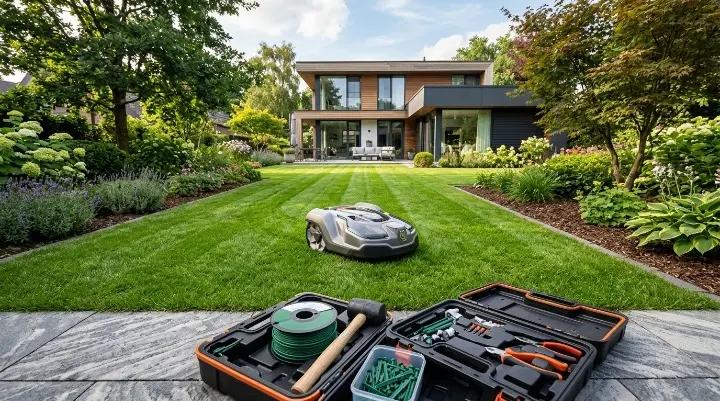
Installing a robot lawn mower is easier than many homeowners expect. Most modern models can be set up in a few hours, and some wireless mowers can be ready to mow the same day.
That said, installation is one of the most important parts of owning a robot mower. A poorly placed charging station, weak GPS signal, or incorrectly installed boundary wire can lead to navigation problems later on. Taking a little extra time during setup can save hours of troubleshooting in the future.
The installation process depends largely on the type of mower you own.
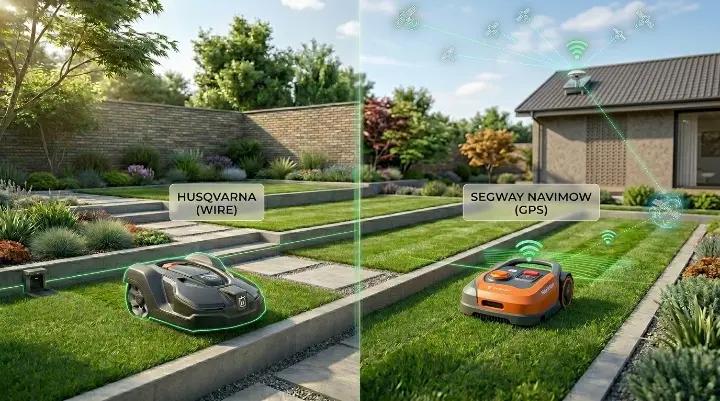
Traditional robot mowers use a boundary wire that defines the mowing area. Newer models use RTK GPS, cameras, or other positioning technologies to create virtual boundaries instead. While both systems can deliver excellent results, the setup process is very different.
In this guide, you'll learn how to install both wired and wire-free robot lawn mowers, how to prepare your lawn, and how to avoid common installation mistakes that many first-time owners make.
Quick Overview: Boundary wire mowers usually take longer to install but work well in areas with heavy tree cover. RTK mowers are faster to set up, but they need a clear view of the sky for the best performance.
Before You Start: What Type of Robot Mower Are You Installing?
Before unpacking your mower, it's important to understand which navigation system it uses. The installation steps, required equipment, and long-term maintenance can vary significantly.
Boundary Wire Mowers
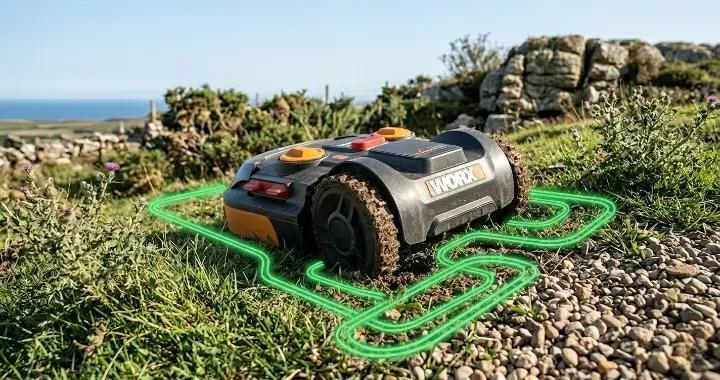
Boundary wire mowers use a physical wire installed around the edge of your lawn. The mower detects the wire signal and stays inside the designated mowing area.
This technology has been around for many years and is still used by some of the most popular robot mower brands. Many homeowners choose boundary wire systems because they are reliable and can perform well under trees where GPS signals may be weaker.
However, installation usually takes more time. You'll need to lay wire around the lawn, create islands around obstacles, and connect everything back to the charging station.
Boundary wire mowers are often a good choice for:
- Lawns with dense tree cover
- Properties with weak satellite visibility
- Homeowners who don't mind a longer installation process
Popular examples include many Husqvarna Automower and Worx Landroid models.
RTK and Wire-Free Mowers
Wire-free robot mowers use satellite positioning, onboard sensors, cameras, or a combination of technologies to navigate without a physical boundary wire.
Instead of installing wire around the yard, you create virtual boundaries through a mobile app. In most cases, setup is faster and future adjustments are much easier. If you redesign a flower bed or expand your lawn, you can often update the map in minutes rather than digging up and moving wire.
For many homeowners, this is the biggest advantage of modern robot mowers.
However, RTK systems work best when the mower has a clear view of the sky. Large trees, tall buildings, and other obstacles can sometimes reduce positioning accuracy.
Wire-free mowers are often a good choice for:
- Open lawns with good sky visibility
- Homeowners who want the simplest installation process
- Properties where lawn layouts may change over time
- Multi-zone yards that would require extensive boundary wire
Popular examples include Lymow, Segway Navimow, Mammotion, and other RTK-based robot mowers.
Once you know which type of mower you're installing, the next step is preparing your lawn for setup.
How to Prepare Your Lawn Before Installation
Many installation problems start before the mower is even turned on.
A robot mower can only perform as well as the environment it operates in. Spending a little time preparing your lawn will make installation easier and help the mower work more efficiently from day one.
The goal is simple: remove anything that could interfere with navigation, mowing quality, or safety.
Remove Debris and Obstacles
Walk around the entire lawn before you begin installation.
Pick up anything that could block the mower or damage its blades. Small objects may not seem important, but they can cause unnecessary stops or leave scratches on the mower's cutting system.
Common items to remove include:
- Fallen branches
- Children's toys
- Garden tools
- Hoses and extension cords
- Sports equipment
- Loose landscaping materials
If you plan to leave certain objects in the yard permanently, such as trees, flower beds, or decorative features, you'll either need to create an island with boundary wire or mark them as no-go zones on a wire-free mower.
Cut Overgrown Grass First
Robot mowers are designed to maintain grass, not reclaim an overgrown lawn.
If your grass is significantly taller than the mower's recommended cutting height, mow it with a traditional lawn mower first. Starting with shorter grass helps the robot mower establish a consistent cutting routine and reduces the risk of clogging.
This is especially important for newly installed lawns or properties that haven't been mowed for several weeks.
Once the grass reaches a normal height, the robot mower can take over regular maintenance.
Identify Slopes, Trees, and Narrow Passages
Next, take a closer look at the layout of your yard.
Some areas may require special attention during installation. Identifying them now will help you place wires correctly or create more accurate virtual boundaries later.
Pay particular attention to:
- Steep slopes
- Exposed tree roots
- Narrow passages between obstacles
- Sharp drop-offs or retaining walls
These areas don't necessarily prevent robot mower installation, but they may influence where you place boundaries, charging stations, guide wires, or no-go zones.
For RTK mowers, it's also a good idea to note areas with heavy tree cover. Dense foliage can sometimes reduce satellite visibility and affect positioning accuracy.
Check Access Between Different Lawn Areas
If your property has multiple lawn sections, think about how the mower will travel between them.
Some yards have clear connections between zones. Others may be separated by fences, driveways, gates, or pathways.
This step is often overlooked by first-time owners.
In one community discussion, a homeowner discovered that a wired mower would have difficulty managing three separate mowing areas without significant boundary wire planning. Several experienced users suggested that complex multi-zone properties may be easier to manage with a modern RTK mower rather than a traditional wired system.
You don't need to solve every navigation challenge right now. The goal is simply to identify them before installation begins.
Make Sure the Lawn Is Dry
Whenever possible, install and map your mower on a dry lawn.
Wet grass can make it harder to evaluate traction, especially on slopes. It can also make it more difficult to see potential problem areas such as ruts, exposed roots, or uneven ground.
For RTK mowers, dry conditions can also make the initial mapping process smoother and more accurate.
A few hours of preparation may not seem exciting, but it often makes the difference between a smooth installation and hours of adjustments later. Once your lawn is ready, you can begin setting up the mower itself.
How to Install a Boundary Wire Robot Mower
Installing a boundary wire robot mower takes more time than setting up a wire-free model, but the process is straightforward if you work step by step.
Most homeowners can complete the installation in a few hours. Larger or more complex lawns may take longer, especially if there are multiple flower beds, trees, or separate lawn sections to work around.
The exact details vary by brand, but the overall process is very similar for most boundary wire mowers.
Step 1: Choose the Right Charging Station Location
The charging station is the starting and ending point of every mowing cycle. Choosing the right location can improve navigation and reduce docking problems later.
Look for a flat area with access to power. The mower should have enough space to approach and leave the station without immediately encountering obstacles.
Avoid placing the charging station:
- ✕At the bottom of a steep slope
- ✕In extremely narrow passages
- ✕Directly beside large obstacles
- ✕In areas that frequently collect standing water
For many lawns, placing the station near the center of the mowing area creates the most balanced coverage.
Before securing anything permanently, check that the power supply can safely reach the installation location.
Step 2: Lay the Boundary Wire Around the Lawn
Once the charging station is in place, it's time to install the boundary wire.
The wire creates an invisible perimeter that tells the mower where it can and cannot travel.
Most manufacturers recommend laying the wire around the edge of the lawn and securing it with stakes. You can leave the wire above ground initially. After a few weeks, grass growth usually hides it naturally.
As you work around the yard, pay special attention to:
- Lawn edges near sidewalks
- Flower beds
- Trees and landscaping features
- Garden paths
- Ponds and drop-offs
Every manufacturer provides recommended distances from obstacles. Follow the measurements in your mower's installation guide rather than guessing.
Take your time during this step. Small mistakes here often lead to edge-cutting issues or navigation errors later.
Step 3: Create Islands Around Obstacles
Not every obstacle needs to be removed from the mowing area.
For permanent features such as trees, flower beds, ponds, or garden decorations, you'll often create what installers call an "island."
An island is simply a loop of boundary wire placed around an obstacle. The mower recognizes the signal and avoids entering that area.
The key is routing the wire correctly so the outgoing and returning sections sit close together. When installed properly, the mower treats the obstacle as part of the boundary system while still moving freely around the rest of the lawn.
For a few isolated obstacles, this process is simple.
However, lawns with dozens of trees, landscape beds, or decorative features can become much more complicated. In these situations, installation time increases significantly, and some homeowners begin to see the appeal of modern wire-free systems.
Step 4: Install Guide Wires for Better Navigation
Many premium boundary wire mowers support guide wires.
A guide wire helps the mower travel more efficiently between different parts of the lawn and improves its ability to find the charging station.
Without guide wires, a mower may spend more time navigating randomly before reaching distant sections of the yard.
Guide wires are especially useful for:
- Large lawns
- Narrow passages
- Complex layouts
- Multi-zone properties
This step becomes increasingly important as lawn complexity increases.
For example, in one homeowner discussion, a user with three separate mowing areas struggled to determine how a wired mower could efficiently move between zones. Experienced installers pointed out that guide wire planning often becomes one of the most important parts of a successful installation on complex properties.
If your mower supports guide wires, it's worth spending extra time planning their routes before securing them permanently.
Step 5: Connect and Test the System
After the boundary wire and guide wires are installed, connect them to the charging station according to the manufacturer's instructions.
Most charging stations provide indicator lights that confirm whether the loop is functioning correctly.
Before burying any wire or making the installation permanent, run a complete test.
Watch how the mower behaves as it:
- Leaves the charging station
- Follows boundaries
- Navigates around islands
- Travels through narrow passages
- Returns to charge
This is the best time to make adjustments.
A wire moved by just a few inches can often solve navigation problems that would otherwise become frustrating later.
Once the mower completes several successful mowing and docking cycles, you can secure the installation and move on to schedule configuration and routine operation.
How to Install an RTK Robot Mower
One of the biggest advantages of an RTK robot mower is the installation process itself.
Unlike traditional boundary wire models, RTK mowers don't require hundreds of feet of wire around the lawn. Instead, they use satellite positioning and virtual boundaries to determine where they can mow.
For many homeowners, this can reduce installation time from several hours to less than one hour.
However, RTK systems have their own requirements. Proper placement of the charging station and reference station is critical for accurate navigation.
Step 1: Position the Charging Station
Just like a boundary wire mower, an RTK mower needs a charging station where it can recharge between mowing sessions.
Choose a flat, stable location with easy access to power. The mower should have enough room to enter and exit the station without immediately encountering obstacles.
Avoid placing the charging station:
- ✕Under dense tree canopies
- ✕Beside tall walls
- ✕In tight corners
- ✕In low spots that collect water
Many manufacturers recommend installing the charging station in an area with a reasonably open view of the sky. This helps maintain reliable positioning as the mower docks and leaves the station.
Once the station is secured and connected to power, fully charge the mower before continuing with setup.
Step 2: Install the RTK Reference Station
This is the most important step in the entire installation process.
The reference station receives satellite signals and sends correction data to the mower. This allows the mower to achieve the high level of positioning accuracy that RTK systems are known for.
The reference station should be installed in a location with the clearest possible view of the sky.
Common mounting locations include:
- Rooftops
- Fence posts
- Garage walls
- Dedicated mounting poles
Avoid locations where trees, buildings, or other structures block large portions of the sky.
Many first-time owners assume that if the reference station has a good signal, the mower will work perfectly everywhere. In reality, the mower also needs sufficient satellite visibility while operating.
This is one reason heavily wooded properties can sometimes be more challenging for RTK systems than open lawns.
After mounting the reference station, follow the manufacturer's instructions to pair it with the mower.
Step 3: Connect the Mower to the Mobile App
Most RTK robot mowers are managed through a smartphone app.
The setup process usually involves creating an account, connecting the mower through Bluetooth, Wi-Fi, or cellular connectivity, and checking for available firmware updates.
While the exact screens vary by brand, the goal is the same: establish communication between the mower, the reference station, and the app before creating your lawn map.
This step typically takes only a few minutes.
Step 4: Create Virtual Boundaries
Once the mower is connected, you can begin mapping your lawn.
Instead of laying physical wire, you'll drive or guide the mower around the perimeter of the mowing area using the app.
As the mower moves, it records boundary points and creates a digital map.
Move slowly during this process and follow the actual lawn edge as closely as possible. Accurate mapping now will reduce the need for future adjustments.
One major advantage of virtual boundaries is flexibility.
If you later add a flower bed, patio, or landscaping feature, you can usually update the map within minutes rather than reinstalling boundary wire.
Step 5: Add No-Go Zones
After defining the main mowing area, create no-go zones around areas the mower should avoid.
These might include:
- Flower beds
- Vegetable gardens
- Decorative landscaping
- Fire pits
- Children's play areas
Unlike boundary wire islands, no-go zones can often be adjusted with a few taps inside the app.
For homeowners who frequently modify their landscaping, this is one of the most appealing features of RTK technology.
Step 6: Run the First Mapping and Mowing Session
Before creating a full mowing schedule, let the mower complete a test run.
Watch how it navigates around the lawn and pay attention to any areas where it seems hesitant or struggles to maintain accurate positioning.
Focus on:
- Lawn edges
- Tight corners
- Narrow passages
- Areas near trees
- Areas near buildings
Minor adjustments are normal during the first setup.
Many homeowners refine their virtual boundaries several times before settling on the final layout.
Once the mower completes a successful mowing cycle and returns to the charging station without issues, you can create a mowing schedule and allow it to operate automatically.
In most cases, an RTK mower requires less physical installation work than a boundary wire model. The tradeoff is that accurate mapping and good satellite visibility become much more important for long-term performance.
Installing a Robot Mower on a Multi-Zone Lawn
A simple rectangular lawn is easy to set up.
A multi-zone property is a different story.
Many homeowners have separate lawn sections divided by driveways, fences, walkways, gates, landscaping features, or buildings. While robot mowers can handle these layouts, installation requires more planning.
The best approach depends on how the different areas are connected and what type of mower you're using.
When Boundary Wire Works Well
Boundary wire mowers can manage multiple zones surprisingly well when there is a clear path between them.
For example, if two lawn areas are connected by a narrow corridor or side yard, guide wires can help the mower travel efficiently between sections.
Many premium models also allow you to create starting points in different parts of the lawn. This helps distribute mowing time more evenly and prevents the mower from spending too much time near the charging station.
In these situations, a wired mower can perform just as well as a wire-free model.
The key is making sure the mower can physically travel between all mowing areas on its own.
When Multiple Secondary Areas Become a Problem
Things become more complicated when lawn sections are completely disconnected.
A good example comes from a homeowner who purchased a Husqvarna 430XH and wanted to maintain three separate lawn areas. Because there was no practical path between the zones, experienced installers explained that the mower would likely need to be manually moved between sections or require additional charging stations.
This is a common challenge with traditional boundary wire systems.
The mower may technically be able to mow multiple areas, but the amount of wire, guide wire planning, and manual intervention can quickly become frustrating.
In some cases, homeowners end up spending more time managing the mower than they originally expected.
As a general rule, the more disconnected zones your property has, the more complex a wired installation becomes.
Why RTK Mowers Are Often Easier for Complex Layouts
This is one reason RTK robot mowers have become increasingly popular.
Instead of creating a single continuous wire loop, you can simply create multiple work zones inside the app.
For properties with detached lawn sections, this can dramatically simplify installation.
In the same homeowner discussion, several experienced robot mower users suggested that a modern GPS or RTK mower would likely be a better long-term solution than trying to force a traditional wired mower to manage several disconnected areas.
That doesn't mean RTK is always the right answer.
If your property has dense tree cover, limited sky visibility, or challenging satellite reception, a boundary wire mower may still be the more reliable choice.
The goal is to match the technology to the layout of your lawn rather than forcing the lawn to fit the technology.
Questions to Ask Before Installing on a Multi-Zone Property
Before choosing your installation strategy, take a few minutes to evaluate your yard.
Ask yourself:
- ✔Can the mower travel between zones without being lifted?
- ✔Are the zones connected by a safe path?
- ✔Will guide wires be enough to improve navigation?
- ✔Would multiple charging stations be required?
- ✔Does the property have enough open sky for RTK navigation?
Answering these questions early can prevent expensive mistakes and save hours of installation work later.
For many homeowners, a robot mower performs best when it can move freely throughout the entire property. If that isn't possible, it's worth carefully comparing the extra installation effort of a wired system against the flexibility offered by a modern RTK mower.
Common Installation Mistakes That Cause Problems Later
A robot lawn mower can work very well once it is set up correctly. But many long-term problems come from small mistakes made during installation. These issues often do not show up right away. Instead, they appear weeks or months later as poor coverage, navigation errors, or frequent stops.
Here are the most common installation mistakes to avoid.
1. Placing the charging station in a poor location
One of the biggest mistakes is putting the charging station in a tight, hidden, or unstable signal area.
If the base is:
- Too close to metal fences or walls
- Under heavy tree cover
- On uneven or soft ground
the mower may struggle to dock or fail to find the station consistently.
The charging station needs a clear, open area with stable power and good signal visibility.
2. Improper boundary wire layout (wired systems)
For boundary wire models, wire placement is critical. A common mistake is running the wire too close to edges or obstacles.
Problems usually happen when:
- The wire is placed too close to flower beds or walls
- Corners are too sharp instead of smooth curves
- Wire is not secured tightly to the ground
These issues can cause the mower to “escape” the lawn, miss edges, or create uneven cutting patterns.
3. Weak or inconsistent wire connections
Another frequent issue is poor connection points in the boundary wire.
If connectors are not sealed properly:
- The system may work at first
- But fail later due to moisture or corrosion
- Or cause random “no boundary signal” errors
Always make sure all connectors are waterproof and fully locked in place.
4. Ignoring slope and terrain limits
Many users install the system without fully checking slope limits.
If the mower is placed in areas that are too steep:
- It may slip or stop unexpectedly
- It can struggle to return to base
- Long-term wear on wheels and motors increases
Even if the mower “can handle slopes,” real-world wet grass can reduce performance significantly.
5. Poor RTK or antenna positioning (wire-free systems)
For RTK-based robot mowers, positioning is everything.
Common mistakes include:
- ✕Placing the antenna near walls or roofs
- ✕Blocking sky view with trees
- ✕Installing it too low or too far from the yard
This leads to weak positioning signals and messy cutting paths.
The antenna should always have a wide, open view of the sky.
6. Skipping test runs after installation
Some users finish installation and immediately start full mowing schedules. This is risky.
Without testing:
- You may miss weak signal zones
- Boundary issues go unnoticed
- Navigation errors only appear later during full operation
A full manual test run helps catch problems early before they become expensive fixes.
7. Not planning for future lawn changes
Lawns are not static. Many people forget this during setup.
Common oversights include:
- Not leaving space for future garden beds or trees
- Installing wire too tightly around current layout
- No plan for seasonal obstacles like play equipment
A flexible layout makes future adjustments much easier.
Common Installation Mistakes That Cause Problems Later
Most robot mower problems don’t come from the machine itself. They come from installation mistakes made on day one. These issues often look small at first, but they lead to navigation errors, missed grass areas, or complete system failure later.
Here are the most common mistakes to avoid.
Poor Charging Station Placement
The charging station is the “home base” of your robot mower. If it is placed in the wrong spot, the entire system becomes unstable.
Problems usually happen when the base is installed:
- ✕In tight corners or narrow spaces
- ✕Too close to metal fences, walls, or buildings
- ✕Under heavy tree cover or shaded areas
- ✕On uneven or soft ground
This can cause docking failures, weak signal connection, or the mower getting stuck when returning to charge.
A good setup always keeps the station in an open, flat, and unobstructed area.
Installing Boundary Wire Too Close to Edges
For boundary wire systems, edge distance is critical. Many users install the wire too close to walls, flower beds, or fences to “maximize cutting area.”
But this often backfires.
When the wire is too close to edges:
- ✕The mower may bump or escape the boundary
- ✕Cutting lines become uneven or inconsistent
- ✕The system becomes less stable over time
A slightly wider buffer zone always works better than a tight, aggressive layout.
Weak Sky Visibility for RTK Systems
RTK-based robot mowers depend heavily on satellite and correction signals. If the sky view is blocked, accuracy drops quickly.
This becomes a problem when the RTK antenna is placed:
- ✕Near roofs or tall walls
- ✕Under dense trees
- ✕Inside covered or semi-enclosed areas
The result is poor navigation, drifting paths, or random cutting patterns.
For best performance, the RTK base must have a wide, open view of the sky with minimal obstruction.
Ignoring Narrow Corridors
Narrow passages between lawn zones are often overlooked during installation. But they are one of the most common failure points.
If corridors are too narrow:
- ✕The mower may struggle to pass through
- ✕It may get stuck or turn incorrectly
- ✕Zone switching becomes unreliable
This is especially important for multi-zone lawns.
A corridor should always be wide enough for the mower to pass comfortably and turn without stress.
Creating Too Many “Islands”
Small isolated grass areas (often called “islands”) look harmless during setup, but they often create long-term problems.
Too many islands can:
- ✕Confuse navigation paths
- ✕Increase travel time instead of mowing time
- ✕Cause inefficient battery usage
- ✕Lead to uneven mowing patterns
In most cases, it’s better to connect small zones or reduce unnecessary separated areas where possible.
Should You Install a Robot Mower Yourself or Hire a Professional?
Installing a robot lawn mower can be a simple weekend DIY project, but it can also become a time-consuming setup if your lawn is complex. The right choice depends on your yard size, terrain, and how comfortable you are with setup work.
Here's a closer look at both options.
DIY Installation
DIY installation is the most common choice for homeowners, especially for small to medium lawns with straightforward layouts.
Most of the work involves:
- Setting up the charging station
- Installing or mapping boundaries
- Configuring mowing zones in the app
- Running test cycles and making adjustments
The biggest advantage is cost. You avoid installation fees and have complete control over how the system is configured.
For a simple lawn, setup can often be completed in a few hours. However, first-time users should expect some trial and error. If boundaries, corridors, or charging station placement are not set up correctly, small mistakes can create navigation problems later.
DIY installation is usually the best option for flat, uncomplicated lawns where the owner is comfortable using basic tools and mobile apps.
Professional Installation
Professional installation is often worth considering for larger properties or lawns with multiple zones, steep slopes, or complicated landscaping.
A professional installer will typically evaluate the property, determine the best charging station location, optimize boundary placement, and test the system before leaving.
The main benefit is accuracy. A properly planned setup can reduce future troubleshooting and help the mower perform at its full potential from day one.
The downside is the additional upfront cost. Some homeowners also prefer making their own adjustments rather than relying on an installer’s recommendations.
Professional installation tends to make the most sense for complex lawns where correcting installation mistakes later could be more time-consuming than paying for expert setup.
Typical Installation Costs
Installation costs vary based on lawn size, mower type, and local labor rates.
| Installation Type | Typical Cost Range (USD) | What’s Included |
|---|---|---|
| DIY Installation | $0 – $100 | Basic tools, wire kits (if needed), your own time |
| Basic Professional Setup | $100 – $300 | Small lawn, simple boundary setup |
| Full Professional Setup | $300 – $1,000+ | Large yards, multi-zone mapping, RTK optimization |
For most homeowners, DIY installation is enough. But if your yard has multiple mowing zones, challenging terrain, or a complex layout, professional installation can save time and help avoid long-term performance issues.
Best Robot Mowers for Easy Installation
Not all robot mowers are equally easy to install. Some are designed for quick setup with minimal tools, while others require more planning but offer excellent long-term reliability.
Here are three models that stand out for installation simplicity and user-friendly setup.
Best RTK Choice: Lymow
Lymow is a great option for homeowners who want to avoid boundary wires altogether.
Because it uses RTK navigation, installation is much simpler than a traditional wired system. Instead of laying hundreds of feet of wire, you mainly need to position the RTK base station, configure the app, and create mowing zones.
Its wire-free design also makes future adjustments much easier. If you redesign part of your yard or add new landscaping, you can update virtual boundaries without digging up wires.
Why it's easy to install:
- ✔No boundary wire required
- ✔Fast setup through app mapping
- ✔Flexible zone creation and editing
- ✔Minimal physical labor during installation
Lymow is particularly well suited for medium to large lawns and homeowners who prefer a modern, app-based setup experience.
Best Premium Boundary Wire Choice: Husqvarna
If you don't mind spending extra time during installation, Husqvarna remains one of the most reliable boundary wire systems on the market.
The initial setup requires careful wire placement, but once installed correctly, the system is known for stable navigation and dependable long-term performance. Many homeowners choose Husqvarna because it handles complex lawn layouts exceptionally well.
Why it's worth the extra setup time:
- ✔Very stable navigation after installation
- ✔Strong performance on complex lawns
- ✔Clear setup guidance and support resources
- ✔Proven long-term reliability
It's an excellent choice for larger properties, challenging terrain, and homeowners who value consistency over installation speed.
Best Budget-Friendly Option: Worx
Worx is often the easiest entry point for first-time robot mower owners.
The installation process is straightforward, the app is beginner-friendly, and the mower is designed with DIY users in mind. While it still requires a boundary wire, most homeowners can complete the setup without professional help.
Why it's beginner friendly:
- ✔Simple boundary wire layout
- ✔Easy app configuration
- ✔Lightweight mower design
- ✔Clear DIY installation instructions
Worx is best suited for small to medium lawns and homeowners who want an affordable robot mower without a complicated setup process.
Final Verdict
Installing a robot lawn mower is not complicated, but it does require careful planning. Most long-term performance issues come from setup mistakes, not the mower itself.
If your lawn is simple, DIY installation is usually enough. You can set up a basic system in a few hours and fine-tune it over time. For more complex yards with slopes, narrow corridors, or multiple zones, professional installation can save time and prevent navigation problems later.
RTK systems are the easiest to install physically, but they require good sky visibility and proper antenna placement. Boundary wire systems take more effort upfront, but they often deliver very stable performance once installed correctly.
In the end, the best installation method depends on your lawn design, your comfort with setup, and how much time you want to invest upfront versus long-term reliability.
Key Takeaway: A well-planned installation matters more than the mower itself. Spending more time on setup (or hiring help when needed) directly leads to better mowing performance, fewer errors, and less maintenance later.