
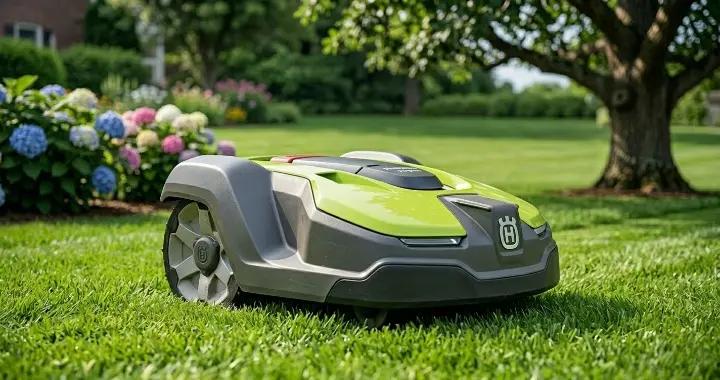
A robot lawn mower that keeps stopping in the middle of a job is one of the most frustrating issues for homeowners. You set it to run automatically, expect a clean and even cut, and then find it has paused, shut down, or returned to the charging station without finishing the yard.
In most cases, this problem is not caused by a broken machine. Instead, it usually comes down to a few common and fixable issues such as battery problems, boundary wire interruptions, blocked wheels, sensor triggers, or safety shutdowns caused by grass conditions.
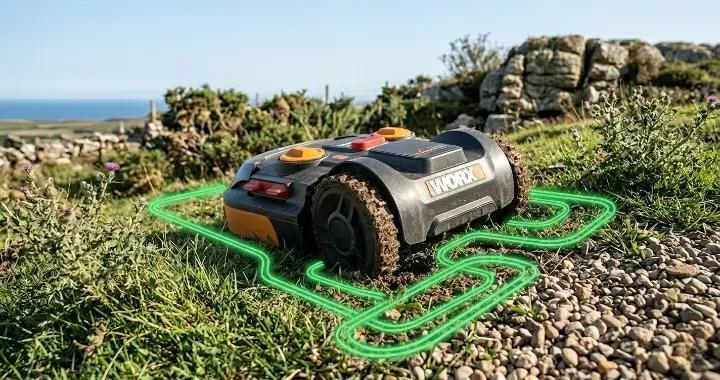
Robot mowers from brands like Husqvarna, Worx, and other smart mowing systems all rely on a combination of sensors, navigation systems, and electrical signals. When one part of this system is disrupted, the mower will often stop as a safety precaution.
The good news is that most of these stopping issues can be diagnosed and fixed at home without professional repair. In this guide, we will walk through the most common reasons why a robot mower keeps stopping, how to troubleshoot it step by step, and what you can do to prevent the issue from happening again.
Why Does My Robot Mower Keep Stopping?
If your robot mower keeps stopping, the issue is usually related to one of a few common system failures rather than a single major fault. In most cases, the mower is either protecting itself or losing a key signal needed to continue operating.
The most common reasons include battery or charging issues, a broken or weak boundary wire signal, overheating during operation, wheels getting stuck or blocked by debris, or sensors being triggered due to lifting, collision, or uneven terrain. In some cases, a software glitch or outdated firmware can also cause the mower to pause or shut down unexpectedly.
In simple terms, a robot mower stops when it detects a problem that could affect safety, navigation, or performance. Identifying the exact trigger is the key to fixing the issue quickly and preventing it from happening again.
Battery or Charging Issues
One of the most common reasons a robot mower keeps stopping is related to the battery or charging system. Since robot mowers rely entirely on rechargeable lithium batteries, any drop in battery performance can cause the machine to pause mid-cycle or return to the charging station earlier than expected.
Over time, batteries naturally degrade and hold less charge, which can lead to shorter mowing sessions and unexpected shutdowns. In other cases, the issue may not be the battery itself, but the charging station connection—such as dirty charging contacts, misalignment, or incomplete charging cycles that prevent the mower from reaching full capacity.
Temperature can also play a role. If the mower operates in very hot or very cold conditions, it may automatically stop to protect the battery from damage.
To fix this, start by fully charging the mower and checking whether it can complete a full mowing cycle. Clean the charging contacts, ensure the mower is properly docked, and inspect the battery health if the problem persists. In older units, replacing the battery is often the most effective solution.
Boundary Wire Interruption
A boundary wire interruption is another frequent reason a robot mower keeps stopping or behaving unpredictably. Most robot lawn mowers rely on a perimeter wire installed around the lawn to define the mowing area. If this signal is weakened or broken, the mower may stop, fail to navigate properly, or return to the charging station early.
Even a small issue in the wire loop can disrupt the entire system. Common causes include a partially cut wire from gardening work, loose or corroded connectors, or sections of wire that have been damaged by weather, lawn aeration, or shifting soil. In some cases, the wire may still be physically intact but have poor signal transmission due to rusted splices or improper installation.
When this happens, the mower often shows error messages or simply stops without completing its route because it can no longer “understand” where the mowing boundary is.
To troubleshoot, visually inspect the entire perimeter wire for obvious breaks or damage, especially in areas recently affected by yard work. Check all connectors and repair points to ensure they are tight and corrosion-free. If the issue is not visible, using a boundary wire tester can help locate weak or broken signal sections quickly.
Overheating Protection Shutdown
Overheating protection shutdown is a built-in safety feature in most robot lawn mowers, and it is another common reason why a unit may keep stopping during operation. When the internal temperature of the motor, battery, or control system rises beyond a safe threshold, the mower will automatically pause or shut down to prevent damage.
This usually happens during hot weather, when mowing thick or wet grass, or when the cutting system is under excessive load. For example, tall or dense grass forces the blades and motor to work harder, which generates more heat over time. If airflow around the motor housing is restricted by grass clippings or debris, the temperature can rise even faster.
When overheating occurs, the mower may stop mid-cycle and either wait to cool down or return to the charging station before resuming operation.
To fix this issue, allow the mower to cool down in a shaded area and avoid running it during peak heat hours. Regularly clean the underside of the mower deck to remove grass buildup and ensure proper airflow. If the problem happens frequently, consider reducing mowing frequency or cutting height so the mower is not under constant heavy load.
Wet Grass or Heavy Load
Wet grass or an overly dense lawn is another common reason a robot mower keeps stopping mid-cycle. When grass is damp, heavy, or overgrown, it creates significantly more resistance for the cutting blades and drive system. This extra load can slow the mower down, trigger safety sensors, or even cause the motor to shut off temporarily to prevent damage.
Wet clippings also tend to clump under the deck and around the wheels, which increases friction and can lead to blockages. In some cases, the mower may interpret this resistance as a mechanical issue and stop as a precaution. Similarly, if the lawn has not been cut for a while, the sudden workload can exceed what the mower is designed to handle in a single session.
To resolve this, try mowing only when the grass is dry and avoid running the mower after rain or early in the morning when dew is heavy. If the lawn is overgrown, raise the cutting height and allow the mower to make multiple passes over a few days instead of forcing a single full cut. Regular cleaning of the underside and wheels also helps reduce buildup and prevents unnecessary stops caused by heavy load conditions
Wheel or Terrain Blockage
Wheel or terrain blockage is another frequent cause of a robot mower stopping unexpectedly during a mowing cycle. Because robot mowers rely on small drive wheels and sensors to navigate the lawn, even minor obstructions can interrupt movement and trigger an automatic stop.
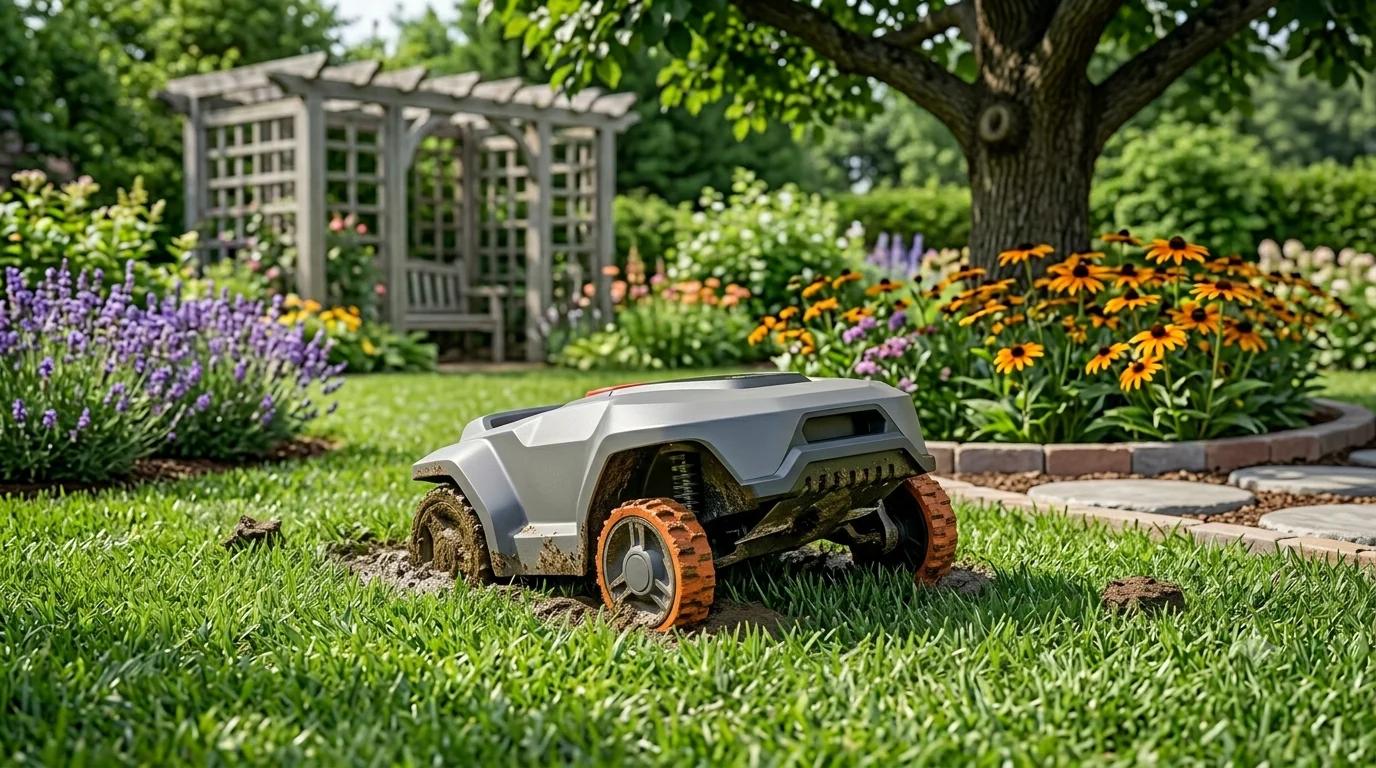
Common issues include grass clippings, mud, leaves, or small sticks getting stuck in the wheels or wheel housings. Over time, this buildup can increase resistance and make it difficult for the mower to move smoothly. In more challenging cases, uneven ground, soft soil, or steep slopes can also cause the mower to lose traction and stop as a safety precaution.
When traction is lost or movement becomes inconsistent, the mower may assume it is stuck and shut down or redirect back to the charging station. This is especially common in yards with patchy terrain or after rainfall when the ground becomes softer.
To fix this issue, inspect the wheels regularly and remove any debris wrapped around the axles or tread. Cleaning the wheel wells and ensuring proper tire grip can significantly improve performance. If your lawn has uneven areas or slopes, consider adjusting the mowing schedule or using boundary adjustments to reduce time spent in problematic zones.
Sensor or Safety Trigger Activation
Sensor or safety trigger activation is a built-in protection mechanism that can also cause a robot mower to stop unexpectedly. Modern robot mowers are equipped with multiple sensors designed to prevent damage or injury, and when any of these sensors are triggered, the mower will immediately pause or shut down its operation.
Common triggers include lift sensors (when the mower is slightly raised or tilted), collision sensors (when it hits an obstacle such as furniture, rocks, or garden edges), and tilt or imbalance detection on uneven ground. Some models may also include rain sensors that stop operation when moisture is detected, even light drizzle or heavy dew.
In practice, these sensors can be overly sensitive. For example, thick grass buildup, minor bumps in the lawn, or debris lodged under the chassis can mistakenly activate a safety response. Once triggered, the mower will stop until it is reset or manually restarted.
To troubleshoot this issue, inspect the underside of the mower for grass clumps, dirt, or obstructions that could interfere with sensor operation. Check for any physical damage or misalignment around the sensor areas, and ensure the mower is operating on relatively even terrain. If the problem continues, performing a system reset or updating the firmware may help recalibrate sensor sensitivity.
Software or Firmware Glitch
A software or firmware glitch is a less obvious but increasingly common reason why a robot mower keeps stopping. Modern robot mowers rely heavily on onboard software to manage navigation, scheduling, obstacle detection, and safety responses. If this system develops an error, even temporarily, the mower may pause, restart, or shut down unexpectedly during a mowing cycle.
These issues can happen after a firmware update, when system files are not installed correctly, or when the mower’s internal memory experiences a temporary bug. In some cases, outdated firmware can also lead to compatibility issues with sensors or the charging system, causing the mower to misinterpret normal conditions as faults.
When a software issue occurs, the mower may not show any clear physical signs of damage. Instead, it might stop randomly, behave inconsistently, or fail to complete previously normal mowing patterns.
To resolve this, start by checking whether a firmware update is available from the manufacturer’s app or control panel. Updating the system often fixes known bugs and improves stability. If the problem persists, performing a full system reset can help clear temporary errors and restore normal operation.
Quick Diagnosis Table
If your robot mower keeps stopping, the fastest way to identify the problem is to match the symptoms with the most likely cause. The table below covers some of the most common robot mower stopping issues and the quickest ways to fix them.
| Symptom | Most Likely Cause | Quick Fix |
|---|---|---|
| Mower stops after a few minutes | Weak or aging battery | Fully recharge or replace the battery |
| Mower randomly stops in different areas | Boundary wire interruption | Inspect and repair damaged wire sections |
| Mower stops on slopes or uneven ground | Wheel traction problem | Clean wheels and reduce steep mowing areas |
| Mower shuts down during hot weather | Overheating protection | Let the mower cool and clean airflow areas |
| Mower stops in wet grass | Heavy load or blade resistance | Wait for dry conditions before mowing |
| Mower stops without an error code | Software or firmware glitch | Restart or update the mower firmware |
| Mower keeps returning to charging station | Weak battery or charging issue | Check charging contacts and dock alignment |
| Mower stops after hitting obstacles | Collision or lift sensor triggered | Remove obstacles and clean sensor areas |
| Mower struggles in thick grass | Motor overload | Raise cutting height and mow more frequently |
| Mower pauses unexpectedly at night or after rain | Moisture or rain sensor activated | Dry the mower and disable rain delay if needed |
Using this quick diagnosis approach can save a significant amount of troubleshooting time. In many cases, identifying the exact symptom makes it much easier to narrow down the real cause before replacing parts unnecessarily.
Step-by-Step Troubleshooting Guide
When a robot mower keeps stopping, it can be difficult to know where to begin. Many stopping issues have similar symptoms, and replacing random parts without proper diagnosis often wastes both time and money.
The best approach is to troubleshoot the mower step by step, starting with the simplest and most common causes before moving on to more advanced checks. In many cases, the issue can be resolved with basic maintenance such as cleaning the mower, checking the charging system, or inspecting the boundary wire.
The guide below walks through the most effective troubleshooting steps in the correct order. By following this process, you can quickly narrow down the problem and determine whether the issue is related to the battery, sensors, terrain, software, or another part of the mower system.
Step 1 – Restart the Robot Mower
The first and simplest troubleshooting step is to fully restart the robot mower. Temporary software errors, sensor misreads, or communication glitches can sometimes cause the mower to stop unexpectedly even when there is no physical problem with the machine.
Start by turning the mower off completely using the main power switch rather than simply pausing it. Leave the unit powered down for a few minutes to allow the internal system to reset. After that, restart the mower and place it back on the charging station to ensure it begins with a full system check.
If your mower is connected to a mobile app, also check for any warning notifications or error messages during startup. Some models store temporary fault codes that disappear after a restart, while others may point directly to issues such as wheel blockage, boundary wire loss, or battery problems.
A full restart may seem basic, but it can often resolve random stopping behavior caused by temporary software instability or interrupted sensor communication. If the mower continues stopping after restarting, move on to the next troubleshooting step.
Step 2 – Check Battery and Charging Station
If restarting the mower does not solve the issue, the next step is to inspect the battery and charging system. A weak battery or charging problem is one of the most common reasons a robot mower stops before finishing its mowing cycle.
Begin by checking whether the mower is charging correctly when docked at the charging station. Most models display a charging icon, battery percentage, or status light that indicates whether power is being transferred properly. If the mower repeatedly leaves the station with a low battery level or returns too quickly, the battery may not be holding a full charge.
Next, inspect the charging contacts on both the mower and the docking station. Dirt, grass residue, moisture, or corrosion can interfere with the electrical connection and reduce charging efficiency. Clean the metal contacts gently using a dry cloth or soft brush.
It is also important to verify that the charging station is installed on level ground and connected securely to its power source. A loose cable or unstable docking position can interrupt charging without obvious warning signs.
If the mower is more than a few years old and runtime has noticeably decreased, the battery itself may be nearing the end of its lifespan. In that case, replacing the battery is often the most reliable long-term solution.
Step 3 – Inspect Boundary Wire Loop
If the battery and charging system appear to be working normally, the next step is to inspect the boundary wire loop. For many robot lawn mowers, the perimeter wire acts as the mower’s navigation system. Even a small interruption in the signal can cause the mower to stop, lose direction, or return to the charging station unexpectedly.
Start by checking the charging station indicator light. Many robot mower docks use a green light to show that the boundary loop signal is functioning correctly. If the light is flashing, red, or completely off, there may be a break or weak connection somewhere in the wire system.
Walk along the entire boundary wire path and look for visible signs of damage. Common trouble spots include areas near garden tools, lawn edging, recent digging, tree roots, or places where the wire may have been accidentally cut during yard work. Pay close attention to connectors and splice points, since loose or corroded connections are a common source of signal problems.
If you cannot find obvious damage, a wire break detector or boundary wire tester can help locate hidden faults underground. In many cases, repairing a small damaged section of wire is enough to restore stable mower operation.
Once repairs are completed, restart the mower and observe whether it can complete a full mowing cycle without stopping unexpectedly.
Step 4 – Clean Wheels and Cutting Deck
If the robot mower still keeps stopping, the next step is to check and clean the wheels and cutting deck. Dirt, grass clippings, and debris naturally build up during normal operation, and over time this can create enough resistance to trigger safety shutdowns or movement failures.
Start by turning the mower off completely for safety. Then inspect the wheels for wrapped grass, mud, or small sticks that may be restricting movement. Even a small amount of debris around the axles can reduce traction and cause the mower to think it is stuck, leading it to stop mid-cycle.
Next, flip the mower carefully and inspect the underside cutting deck. Grass buildup under the deck is very common, especially when mowing wet or thick grass. This buildup not only reduces cutting efficiency but can also overload the motor and increase power consumption, which may cause the mower to shut down early.
Use a soft brush or plastic tool to remove clumps of grass and dirt. Avoid using high-pressure water unless the manufacturer specifically allows it, as it can damage internal components or sensors.
After cleaning, ensure both wheels spin freely and the cutting blade area is unobstructed. A clean mower operates more efficiently, reduces strain on the motor, and significantly lowers the chance of unexpected stopping during operation.
Step 5 – Check for Overheating Signs
If the mower continues to stop after basic cleaning and inspection, the next step is to check for signs of overheating. Robot mowers are designed with built-in thermal protection, meaning they will automatically slow down or shut off when internal temperatures become too high to prevent damage to the motor, battery, or control board.
One of the most common indicators of overheating is a pattern where the mower runs normally at first, then stops after a consistent period of operation, especially on warm days or during heavy cutting conditions. In some cases, it may also feel unusually warm to the touch around the motor housing or underside of the unit.
Overheating is often caused by environmental and workload factors rather than a hardware failure. Thick or tall grass, frequent uphill movement, or mowing during peak daytime heat can all increase the internal temperature quickly. Reduced airflow due to grass buildup around the deck can make the issue even worse.
To resolve this, allow the mower to cool down completely in a shaded, well-ventilated area before restarting it. If possible, avoid mowing during the hottest part of the day and reduce cutting load by lowering grass height gradually instead of cutting too much at once. Keeping the underside of the mower clean is also essential for maintaining proper airflow and preventing repeated thermal shutdowns.
Step 6 – Update Firmware or Reset System
If all previous steps have been checked and the robot mower still keeps stopping, the issue may be related to software. Modern robot mowers rely heavily on firmware to control navigation, scheduling, sensors, and safety responses. A bug, outdated version, or corrupted system file can sometimes cause the mower to behave unpredictably, including random stops.
Start by checking whether a firmware update is available through the manufacturer’s mobile app or control panel. Updates often include bug fixes, improved stability, and better sensor calibration, which can directly resolve stopping issues that have no physical cause.
If the firmware is already up to date, the next step is to perform a system reset. This restores the mower’s software settings to factory defaults and clears any temporary errors or incorrect configurations that may have built up over time. After resetting, the mower will typically need to be reconfigured, including boundary wire setup, scheduling, and connectivity.
Although this step may take a bit more time, it is often the most effective solution for unresolved or random stopping issues that are not linked to hardware problems.
Battery Problems (Most Common Cause)
Battery-related issues are one of the most common reasons a robot mower keeps stopping during operation. Since the entire system depends on a rechargeable lithium battery, any decline in battery performance directly affects runtime, stability, and the mower’s ability to complete a full mowing cycle.
Over time, all rechargeable batteries gradually lose capacity. This means the mower may still appear to charge normally, but it cannot hold enough energy to finish mowing the entire lawn. As a result, it may stop early, return to the charging station more frequently, or shut down unexpectedly when the voltage drops too quickly under load.
In addition to natural aging, charging inefficiencies can also contribute to the problem. Dirty charging contacts, poor docking alignment, or inconsistent power supply can prevent the battery from reaching a full charge, even if the indicator shows that charging is complete.
Temperature is another important factor. Extreme heat or cold can temporarily reduce battery performance and trigger protective shutdowns. In these cases, the mower may stop mid-cycle even though the battery is not fully depleted.
Because battery issues are so common, they are often the first area to investigate when troubleshooting a robot mower that keeps stopping. In many situations, cleaning the charging system or replacing an aging battery can restore normal performance immediately.
Boundary Wire Issues (Critical for Robot Mowers)
Boundary wire issues are one of the most critical causes of a robot mower repeatedly stopping or failing to complete its mowing cycle. For most wired navigation systems, the perimeter wire acts as the mower’s “map,” defining where it can and cannot operate. When this signal is weak, interrupted, or inconsistent, the mower often stops as a safety response or becomes unable to navigate properly.
Even a small disruption in the loop can create significant problems. A partially broken wire, loose connector, or corroded splice can weaken the signal enough to confuse the mower. In some cases, the wire may still be physically intact but buried damage from gardening tools, lawn aeration, or shifting soil can interrupt communication without being immediately visible.
Weather and environmental factors can also contribute. Moist soil, long-term exposure to moisture, or underground corrosion at connection points may gradually degrade signal strength over time, leading to intermittent stopping behavior that is difficult to diagnose at first.
When boundary wire issues occur, the mower may behave inconsistently—stopping randomly in different areas, returning to the charging station early, or displaying navigation-related errors. Because of this, the boundary wire system is one of the first infrastructure components to check when troubleshooting persistent stopping problems.
Sensor and Safety System Triggers
Modern robot mowers are built with multiple sensors and safety systems designed to prevent damage, avoid obstacles, and ensure safe operation around people, pets, and garden objects. While these systems are essential for reliable performance, they can also be a common reason why a robot mower keeps stopping unexpectedly.
When a sensor detects something unusual—such as the mower being lifted, hitting an obstacle, losing balance on uneven ground, or encountering wet conditions—it will immediately trigger a safety response. This usually results in the mower pausing, shutting down the blades, or returning to the charging station until the issue is cleared.
In many cases, these stops are not caused by mechanical failure but by overly sensitive or temporarily triggered safety systems. Understanding how each sensor works is important for identifying whether the mower is stopping due to a real problem or simply reacting to normal conditions in the yard.
In the following sections, we will break down the most common sensor and safety triggers and explain how to quickly diagnose and resolve them.
Lift Sensor Activation
Lift sensor activation is one of the most common safety triggers that can cause a robot mower to stop unexpectedly. Most robot mowers are equipped with lift sensors designed to immediately shut off the blades if the machine is raised, tilted, or removed from the ground. This is an important safety feature that prevents injuries and protects the internal cutting system.
However, this sensor can also be triggered unintentionally during normal operation. For example, the mower may slightly lift when passing over uneven terrain, thick grass clumps, or small obstacles like roots or stones. In some cases, worn or improperly balanced wheels can also cause minor tilting that activates the sensor even when the mower is still on the ground.
When the lift sensor is triggered, the mower will usually stop the blades instantly and may pause all movement until it is reset. Some models will require manual confirmation or a restart before continuing operation.
To troubleshoot this issue, check the underside of the mower for debris buildup that could affect ground contact. Make sure the wheels are clean and rotating evenly, and inspect the terrain for uneven patches or hidden obstacles. If the problem happens frequently, adjusting the cutting height or leveling problematic areas of the lawn can help reduce accidental sensor activation.
Collision Sensor Stuck
A collision sensor stuck in the triggered position can also cause a robot mower to keep stopping repeatedly, even when there are no actual obstacles in its path. Collision sensors are designed to detect physical contact with objects such as garden furniture, trees, walls, or stones. When the mower bumps into something, it immediately changes direction or stops to avoid damage.
However, these sensors can sometimes become overly sensitive or physically stuck due to dirt, grass residue, or small debris lodged around the bumper area. In other cases, repeated impacts over time may cause the sensor mechanism to loosen or misalign, making it register a “collision” even when the mower is moving freely.
When this happens, the mower may behave as if it is constantly hitting obstacles. It may stop frequently, change direction unnecessarily, or fail to move in a straight mowing pattern. In more severe cases, it may not resume operation without a manual reset.
To fix this issue, inspect the bumper and surrounding area for dirt buildup or physical obstructions. Gently press and release the bumper to ensure it moves smoothly and returns to its original position without resistance. Cleaning around the sensor edges and removing any trapped debris can often restore normal function. If the issue persists, recalibrating the sensor or performing a system reset may be necessary.
Rain Sensor or Wet Grass Detection
Rain sensor or wet grass detection is another safety feature that can cause a robot mower to stop or pause its operation. Many modern robot mowers are equipped with moisture sensors designed to prevent mowing in wet conditions, which can damage the lawn, reduce cutting performance, and increase the risk of slipping or clogging.
When the sensor detects rain, heavy dew, or high humidity on the grass surface, the mower may automatically return to its charging station or stop and wait until conditions improve. This is not a malfunction, but a protective behavior programmed into the system to maintain both lawn health and machine performance.
However, in some cases, this sensor can become overly sensitive. Light morning dew, residual moisture after irrigation, or even dirt buildup on the sensor surface can cause false triggers. As a result, the mower may stop even when the grass does not appear visibly wet.
To troubleshoot this issue, first check whether actual weather conditions justify the stop. If not, clean the rain sensor area gently to remove dust, grass residue, or debris that may interfere with detection. Some models also allow you to adjust rain delay sensitivity through the app or control panel, which can help reduce unnecessary interruptions in mildly damp conditions.
Overheating or Heavy Load Shutdown
Overheating or heavy load shutdown is another common reason a robot mower keeps stopping, especially during demanding mowing conditions or hot weather. Unlike random malfunctions, this type of stop is usually a built-in protection response designed to prevent damage to the motor, battery, and internal electronics.
Robot mowers are engineered to operate within a specific temperature and workload range. When the system detects excessive heat buildup or resistance from the cutting process, it will automatically slow down or shut off temporarily. This helps avoid long-term wear, but it can interrupt mowing cycles and create the impression that the mower is malfunctioning.
Heavy load conditions often occur when the grass is too tall, too dense, or wet, forcing the blade motor and drive system to work harder than normal. Similarly, mowing during peak summer heat or in poorly ventilated conditions can accelerate internal temperature rise, triggering a thermal shutdown.
In many cases, these stops are not caused by defects but by environmental and usage factors. Understanding how workload and temperature affect performance is key to preventing repeated interruptions and ensuring smoother, more consistent mowing cycles.
Wheel, Blade, and Terrain Problems
Wheel, blade, and terrain-related issues are another major category of problems that can cause a robot mower to keep stopping during operation. Unlike electronic or software faults, these issues are usually physical and directly affect how smoothly the mower can move, cut, and maintain balance across the lawn.
Robot mowers rely on consistent wheel traction, sharp and unobstructed blades, and relatively even ground conditions to operate efficiently. When any of these elements are compromised, the mower may struggle to move forward, detect abnormal resistance, or trigger safety systems that cause it to stop unexpectedly.
Common examples include wheels getting clogged with grass or mud, blades becoming dull or jammed with debris, and uneven terrain causing instability or loss of traction. Even small changes in lawn conditions can significantly impact performance over time.
In the following sections, we will break down each of these physical factors in detail and explain how they can lead to frequent stopping issues—and how to fix them effectively.
Dirty or Jammed Wheels
Dirty or jammed wheels are a common physical cause of a robot mower stopping unexpectedly during operation. Since robot mowers rely on small drive wheels for movement and navigation, even a moderate buildup of grass clippings, mud, or debris can significantly reduce traction and restrict wheel rotation.
Over time, wet grass, soil, and garden debris can wrap tightly around the wheel axles or become packed inside the wheel housing. This increases resistance and can make it difficult for the mower to move smoothly across the lawn. When the system detects reduced movement or uneven wheel performance, it may interpret this as being stuck and automatically stop as a safety precaution.
In some cases, wheel blockage can also cause the mower to veer off course or struggle on flat terrain, further increasing the likelihood of repeated stops during a mowing cycle.
To fix this issue, turn off the mower and carefully inspect all wheels for visible debris. Remove any grass, mud, or objects wrapped around the axles, and ensure each wheel rotates freely without resistance. Regular cleaning is especially important if the mower operates in wet conditions or on uneven lawns, as buildup can occur quickly and gradually impact performance.
Slopes and Uneven Ground
Slopes and uneven ground can also cause a robot mower to keep stopping, especially if the terrain exceeds the machine’s traction or stability limits. Most robot mowers are designed to handle mild slopes, but when the incline becomes too steep or the surface is irregular, the mower may struggle to maintain balance and consistent movement.
On sloped areas, the wheels may lose grip, causing the mower to slip or momentarily stall. When this happens, the system may interpret the situation as a safety risk or a navigation failure and stop the mowing cycle. Uneven ground, such as holes, bumps, or soft patches of soil, can also disrupt wheel contact and trigger similar behavior.
These conditions are particularly common in lawns that have not been leveled properly or have been affected by rainfall, irrigation runoff, or natural settling over time. Even small inconsistencies in terrain can affect how smoothly the mower travels and increase the likelihood of repeated stops.
To reduce these issues, it is important to identify problem areas in the lawn where traction is consistently poor. Improving ground leveling, filling low spots, or adjusting mowing zones to avoid steep or unstable areas can significantly improve performance and reduce unnecessary interruptions.
Dull or Blocked Blades
Dull or blocked blades are another common reason a robot mower keeps stopping during operation. The cutting system plays a key role in both mowing efficiency and motor load management. When the blades are not in good condition, the mower has to work harder to cut the grass, which can trigger performance issues or safety shutdowns.
Over time, blades naturally become dull from continuous use, especially when cutting tough, dry, or sandy grass. A dull blade does not cut cleanly—it tears the grass instead, increasing resistance and putting extra strain on the motor. In more severe cases, the mower may slow down, struggle to maintain cutting speed, or stop completely due to overload protection.
Blockages are also very common. Grass clippings, sticky wet grass, small twigs, or debris can accumulate around the blade disc and restrict its rotation. When the blade system becomes partially jammed, the mower may detect abnormal resistance and stop as a protective measure to prevent motor damage.
To fix this issue, always turn off the mower before inspection and carefully clean the cutting deck. Remove any grass buildup around the blades and ensure they can rotate freely. If the blades are visibly worn, chipped, or blunt, replacing them is usually the most effective solution and can immediately restore normal cutting performance and reduce unexpected stopping.
Software and Firmware Issues
Software and firmware issues are an increasingly important reason why a robot mower keeps stopping, especially in newer smart models that rely heavily on digital control systems. Unlike mechanical problems, these issues are not related to physical damage, but rather to how the mower’s internal software interprets sensor data, manages navigation, and controls operating logic.
Modern robot mowers depend on firmware to coordinate multiple systems at once, including obstacle detection, boundary wire navigation, scheduling, and battery management. If the firmware is outdated, corrupted, or not properly synchronized after an update, the mower may behave unpredictably. This can include random stopping, incorrect error detection, or failure to complete mowing patterns even when no physical obstruction is present.
Software glitches can also appear after app updates or interrupted firmware installations. In some cases, the mower may misread normal environmental conditions—such as slight terrain changes or minor sensor signals—as system faults, causing unnecessary shutdowns or pauses.
Because these issues are less visible than mechanical faults, they are often overlooked during troubleshooting. However, as robot mowers become more advanced, software stability plays a critical role in overall performance. Ensuring the system is properly updated and functioning correctly is essential for preventing unexplained stopping behavior and maintaining consistent operation.
Maintenance Tips to Prevent Future Stops
Preventing a robot mower from stopping unexpectedly is often less about fixing problems and more about consistent maintenance. Most stopping issues develop gradually due to dirt buildup, worn components, environmental conditions, or neglected system updates. By following a regular maintenance routine, you can significantly reduce the chances of interruptions and improve overall mowing reliability.
One of the most important habits is keeping the mower clean, especially the wheels, blades, and underside cutting deck. Grass clippings, mud, and debris can quickly accumulate and increase resistance, which leads to motor strain and safety shutdowns. Cleaning after a few mowing cycles—especially in wet or fast-growing seasons—can make a noticeable difference in performance.
It is also important to regularly inspect and replace wear-prone parts such as blades and wheels. Dull blades increase workload, while worn wheels reduce traction, both of which can indirectly trigger stopping behavior. Similarly, checking the boundary wire system for stability ensures that navigation signals remain consistent over time.
Software maintenance should not be ignored either. Keeping firmware up to date helps fix known bugs, improve sensor accuracy, and optimize system stability. In many modern robot mowers, updates are just as important as physical maintenance.
Finally, adjusting mowing schedules based on weather and grass growth conditions can prevent overload situations. Avoiding mowing during heavy rain, extreme heat, or when the grass is overgrown helps the mower operate within its optimal range, reducing unnecessary stops and extending the lifespan of the system.
When to Replace Parts Instead of Repair
While many robot mower stopping issues can be resolved through cleaning, adjustments, or simple troubleshooting, there comes a point where replacing parts is more effective than attempting repeated repairs. Knowing when to replace components instead of fixing them can save time, reduce long-term costs, and improve overall mower reliability.
One of the most common parts that eventually requires replacement is the battery. If the mower’s runtime has significantly decreased, or it stops much earlier than it used to even after a full charge, the battery is likely reaching the end of its lifespan. In most cases, replacing the battery restores normal mowing performance immediately.
Blades are another consumable part that should be replaced regularly. Even though cleaning can remove debris, dull or damaged blades will continue to increase motor load and reduce cutting efficiency. Replacing blades is a low-cost maintenance step that can prevent overheating and heavy load shutdowns.
Wheel components may also need replacement if traction remains poor after cleaning or if visible wear has affected grip and movement. Similarly, persistent charging issues caused by worn contacts or a failing charging station may require hardware replacement rather than repeated cleaning.
In more advanced cases, internal sensors or control boards can degrade over time. If the mower continues to stop despite all troubleshooting steps, replacing key electronic components—or consulting professional service—may be the only reliable solution.
Ultimately, replacing worn or failing parts at the right time ensures the mower continues operating efficiently and prevents minor issues from escalating into full system failures.
Final Thoughts
A robot mower that keeps stopping can feel like a serious malfunction at first, but in most cases, the issue comes down to a small number of predictable causes. Battery performance, boundary wire stability, sensor triggers, blade condition, and environmental factors like grass height or moisture are usually responsible for the majority of interruptions.
The key to solving the problem is not guessing, but following a structured troubleshooting process. By starting with simple checks like restarting the mower and cleaning key components, then moving step by step into more specific areas such as wiring, sensors, and software, most stopping issues can be identified and resolved without unnecessary repairs.
It is also important to remember that robot mowers are highly automated systems. They are designed to stop when something is not right, which means a “stop” is often a protective response rather than a failure. With regular maintenance and occasional part replacement, most mowers can operate reliably for years with minimal interruption.
By understanding how each system works together, you can not only fix current stopping issues but also prevent them from happening again in the future.