
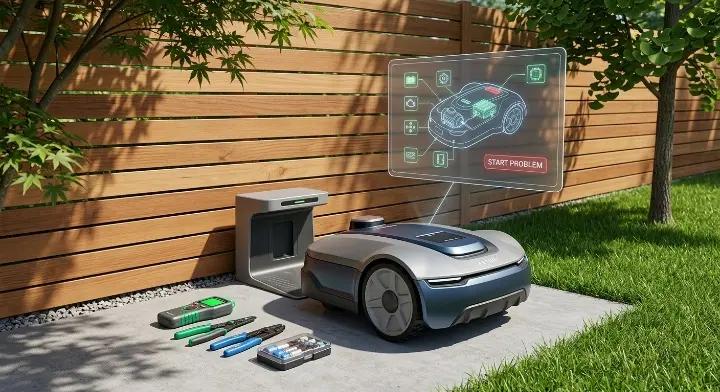
If your robot mower won’t start, you’re not alone. Many owners face this problem, whether it’s a new mower or one that’s been running for a few seasons. Startup issues can happen for many reasons, from low batteries and charging problems to app connection issues and winter storage effects.
The good news? Most of these problems are easy to fix without calling a technician. In this guide, we’ll cover all the common reasons your robot mower won’t start, and show you step-by-step how to troubleshoot them. You’ll also find tips for app and schedule issues, winter storage problems, and brand-specific quirks.
By the end of this article, you’ll know exactly what to check first and how to get your mower running again, safely and efficiently.
Quick Checklist: What to Check First When Your Robot Mower Won't Start
Before diving into detailed troubleshooting, it’s helpful to go through a quick checklist. This lets you pinpoint the problem faster and often fix it in just a few minutes.
| Symptom | Likely Cause | Quick Fix |
|---|---|---|
| Completely dead | Battery is empty or damaged | Recharge or replace the battery |
| Won’t leave charging station | Schedule not set or corrupted | Reset schedule and start manually |
| Starts manually but not from app | App connection or Bluetooth issue | Reconnect app or restart phone/mower |
| Stops immediately after starting | Dirty sensors or obstacles | Clean sensors and remove debris |
| Won’t start after winter | Battery degraded or moisture issues | Test battery, dry mower, and reset settings |
How to use this checklist:
- Start at the top and work down the list.
- Check each symptom carefully.
- Apply the quick fix.
- If the mower still doesn’t start, move on to the detailed troubleshooting steps in the next sections.
This quick checklist often solves more than half of common startup problems, so it’s worth going through carefully before trying anything more complicated.
Common Reasons a Robot Mower Won't Start
Even though robot mowers are designed to be mostly hands-free, startup problems are surprisingly common. Understanding the main causes can save you time and frustration. Here are the top three reasons your robot mower might not start.
Low or Failed Battery
One of the most common reasons a robot mower won’t start is a low or dead battery. Batteries lose capacity over time, especially if they’re not charged regularly or stored incorrectly during winter.
Signs of a battery problem:
- The mower shows no lights or display when you try to start it.
- The mower starts for a few seconds and then stops.
- You notice unusual battery drain or the mower won’t hold a charge.
Quick fixes:
- Make sure the battery is fully charged using the mower’s charging station.
- Remove the battery and inspect it for damage or corrosion.
- If the battery is old or faulty, replace it with a manufacturer-recommended model.
Reddit tip: One Husqvarna owner reported that after two seasons, the mower wouldn’t start. Replacing the battery solved the issue immediately, without needing any other repairs.
Charging Station Power Problems
Even with a fully functional battery, your robot mower may not start if the charging station isn’t supplying power correctly. This is especially common for electric-start models.
Signs of charging station problems:
- The mower doesn’t indicate it’s charging when docked.
- Charging lights are off or showing a warning color.
- The mower starts randomly or only after multiple tries.
Quick fixes:
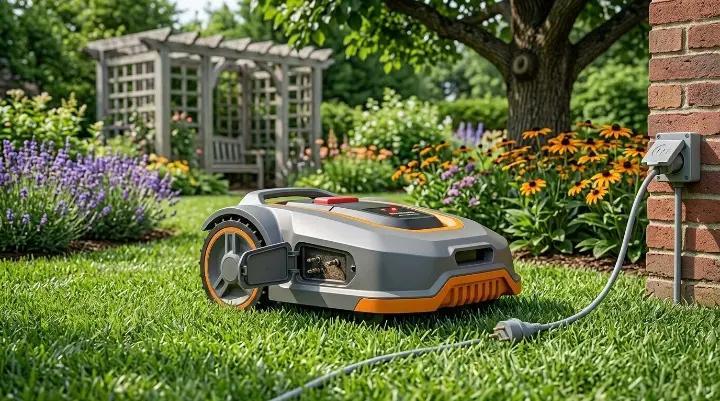
- Check that the charging station is plugged in and the outlet is working.
- Inspect the charging connectors and cables for dirt, damage, or corrosion.
- Make sure the mower is seated correctly in the charging station.
Facebook tip: A user mentioned their mower wouldn’t start automatically in the morning, but worked immediately after checking the power connection to the charging station.
Emergency Stop Button Activated
Robot mowers have safety features to prevent accidents, and the emergency stop button is one of them. If this button is pressed, the mower will refuse to start until it’s released.
Signs that the emergency stop is engaged:
- The mower’s display shows a safety or stop icon.
- Pressing the start button does nothing.
- Lights on the mower blink in a pattern indicating a stop.
Quick fixes:
- Check the emergency stop button and make sure it’s fully released.
- If the mower has multiple safety switches, make sure all are in the correct position.
- Power cycle the mower after releasing the button to reset the safety system.
User insight: Some owners reported that after accidentally pressing the emergency stop, their mower wouldn’t start even after docking. Simply releasing the stop button and restarting the mower solved the problem.
Dirty or Blocked Sensors
Robot mowers rely on multiple sensors to navigate safely. If sensors are dirty, blocked, or malfunctioning, the mower may refuse to start.
Signs of sensor issues:
- Mower starts but immediately stops or refuses to move.
- Lights or display indicate a safety error.
- The mower behaves erratically or gets stuck in place.
Quick fixes:
- Inspect all sensors, including wheel, lift, and obstacle sensors.
- Clean the sensors gently with a soft cloth to remove dirt, grass, or debris.
- Ensure nothing is physically blocking the sensors or the mower deck.
- Power cycle the mower after cleaning to reset the sensor system.
Reddit insight: A user reported that their Automower stopped starting after a rainstorm. Cleaning the sensors under the mower restored normal operation.
Boundary Wire Issues
Many robot mowers use boundary wires to define the mowing area. If the wire is broken, disconnected, or incorrectly installed, the mower won’t start.
Signs of boundary wire problems:
- Mower refuses to leave the charging station.
- The display or app shows a boundary error.
- The mower moves only in a small area or stops at specific points.
Quick fixes:
- Inspect the boundary wire for visible damage.
- Make sure connectors are secure and undamaged.
- If the wire is broken, repair it using a manufacturer-approved connector.
- Test the mower after any repair to ensure it can detect the boundary properly.
Facebook tip: A user said their mower worked manually but wouldn’t start automatically. After repairing a small break in the loop wire, the mower resumed scheduled operation.
Software or Firmware Problems
Robot mowers today are smart devices, meaning software or firmware issues can prevent startup. Updates or app connectivity can sometimes interfere with normal operation.
Signs of software or firmware issues:
- Mower works manually but not via the app.
- Error messages appear on the display or app.
- Mower freezes or fails to follow commands after a firmware update.
Quick fixes:
- Restart both the mower and the controlling app.
- Check for firmware updates and install the latest version.
- Re-pair the mower with the app if connection issues persist.
- If the problem continues, perform a factory reset (check the manual first).
Reddit example: Husqvarna owners reported that after an app update, their mower wouldn’t start until the firmware was updated by a dealer. A factory reset or re-pairing often solved minor connection issues.
Incorrect Schedule Settings
Sometimes the mower won’t start simply because the schedule is corrupted or incorrectly set. This is especially common after battery removal, firmware updates, or winter storage.
Signs of schedule issues:
- Mower ignores scheduled start times but starts manually.
- App shows the correct time, but mower doesn’t run.
- Random or skipped mowing times.
Quick fixes:
- Verify that the mower’s internal clock and time zone are correct.
- Delete and recreate the mowing schedule in the app.
- Ensure eco or quiet modes aren’t preventing scheduled starts.
- Test the mower manually after resetting the schedule.
Facebook example: One user said their mower wouldn’t start in the morning according to the set schedule. After resetting the schedule and confirming time settings, the mower began operating normally.
How to Troubleshoot a Robot Mower That Won't Start
If your robot mower refuses to start, following a step-by-step troubleshooting process can save time and prevent unnecessary repairs. This section walks you through the most common checks in the correct order, so you can quickly identify and fix the problem.
Step 1: Check Battery Charge and Connections
The battery is the heart of your robot mower. A dead or poorly connected battery is often the first thing to check.
What to do:
- Check the battery indicator on your mower or app. If it’s low or empty, charge the battery fully.
- Inspect the battery for damage like cracks, corrosion, or leaking fluid.
- Ensure proper connection: Remove the battery (if removable) and reconnect it firmly.
- Test the mower after charging and reconnecting.
Reddit insight: Several Husqvarna owners mentioned that their mower wouldn’t start until the battery was fully charged and reseated. Even minor misalignment in the battery connection prevented startup.
Tip: For long-term battery health, avoid leaving the mower fully discharged for extended periods.
Step 2: Verify the Charging Station Has Power
Even a healthy battery won’t help if the charging station isn’t supplying power correctly.
What to do:
- Check the power outlet: Make sure the socket is working by testing another device.
- Inspect charging connectors and cables for dirt, corrosion, or damage.
- Ensure correct placement: The mower must sit correctly on the charging dock.
- Check charging lights: Most stations have indicators; green usually means charging is normal.
Facebook tip: One user reported their mower wouldn’t start in the morning. The problem was a loose plug in the charging station, which was easily fixed by reconnecting the cable.
I have a robot mower that does not start according to the set timers
View PostTip: For loop-powered or wire-free charging stations, verify that the boundary or loop signal is continuous.
Step 3: Inspect the Boundary Wire or Signal System
Boundary wires define where your mower can operate. Any break, disconnection, or interference can prevent the mower from starting.
What to do:
- Visually inspect the wire for visible damage along its entire path.
- Check connectors and terminals to make sure they’re secure and corrosion-free.
- Test the signal: Some mowers have diagnostics to check wire continuity.
- Repair any breaks with manufacturer-approved connectors, then retest.
Facebook tip: A user’s mower would start manually but refused scheduled operation. They found a small break in the loop wire and fixed it with a connector. After that, the mower worked normally again.
I have a robot mower that does not start according to the set timers
View PostTip: Animals, lawn work, or garden digging can accidentally damage the wire. Regular inspections prevent unexpected startup problems.
Step 4: Check the Emergency Stop Button
Many robot mower startup issues are caused by something very simple: the emergency stop button is still activated.
This safety feature is designed to immediately disable the mower in case of danger, but it can easily be triggered by accident during cleaning, transport, or storage.
What to do:
- Locate the emergency stop button on your mower (usually on top or near the control panel).
- Make sure it is fully released and not pressed down.
- If your mower has a safety key or pin system, confirm it is properly inserted.
- After releasing the stop, try restarting the mower.
User insight: Some owners reported their mower “looked fine” but wouldn’t respond at all. The issue was simply the emergency stop button being slightly engaged after moving the mower.
Tip: If the mower still doesn’t respond, power-cycle it once after releasing the stop button.
Step 5: Clean Sensors and Wheels
Robot mowers depend heavily on sensors and wheel movement. If these parts are blocked by grass, dirt, or debris, the mower may refuse to start for safety reasons.
What to do:
- Turn the mower off completely before cleaning.
- Use a dry cloth or soft brush to clean:
- Lift sensors
- Obstacle sensors
- Underside of the mower deck
- Check the wheels for stuck grass, mud, or small stones.
- Make sure wheels can rotate freely without resistance.
Tip: Cleaning sensors regularly (especially during peak mowing season) helps prevent random startup failures.
Step 6: Restart the Mower
Sometimes the issue is not hardware-related, but a temporary system glitch. A simple restart can reset internal errors and restore normal operation.
What to do:
- Turn the mower off completely using the power switch.
- Wait at least 30–60 seconds.
- Turn it back on and place it on the charging station.
- Try starting it manually or via the app again.
User insight: Many owners in forums mention that a full restart fixed issues where the mower was “frozen” or unresponsive after an app command.
Tip: Always restart both the mower and the mobile app if you’re controlling it remotely.
Step 7: Perform a Factory Reset
If none of the previous steps work, the issue may be caused by software corruption, firmware bugs, or incorrect system settings. In this case, a factory reset is often the final solution.
What to do:
- Back up any important settings if your mower supports it.
- Go to the settings menu on the mower or app.
- Select Factory Reset or Restore Default Settings.
- Re-pair the mower with the app and reconfigure your schedule.
Reddit insight: Some Husqvarna users reported that after app or firmware updates, a factory reset was the only way to restore normal startup behavior.
Husqvarna won't start
View DiscussionWarning: A factory reset will erase schedules, maps, and settings, so only use it when necessary.
Tip: After resetting, always update firmware before reconfiguring the mower.
The Mower Starts Manually but Not From the App
Some robot mower owners find that their mower works perfectly when started manually but refuses to respond to app commands. This is a surprisingly common problem, especially with Bluetooth or Wi-Fi controlled models.
Understanding why this happens can save a lot of frustration, because the mower itself is fine—it’s the connection that’s causing the issue.
Common Causes
- Bluetooth or Wi-Fi connection issues
- The mower and mobile device may not be paired correctly.
- Interference from other wireless devices can block communication.
- App glitches or outdated software
- Sometimes the app fails to send start commands due to a bug.
- Older versions of the app or firmware may be incompatible.
- Firmware mismatch
- If the mower firmware is outdated, it may ignore app commands.
- Some app updates require corresponding firmware updates on the mower.
- Temporary system errors
- The mower’s internal controller may be “stuck” and needs a restart or reset.
How to Fix It
Step 1: Restart the App and Mower
- Close the app completely on your phone.
- Turn the mower off and back on.
- Open the app and try again.
Step 2: Re-pair the Device
- Unpair the mower in the app.
- Reconnect the mower following the manufacturer’s instructions.
- Make sure Bluetooth or Wi-Fi is enabled and the phone is within range.
Step 3: Update Firmware and App
- Check for the latest app version on the App Store or Google Play.
- Verify that the mower firmware is up to date (sometimes done via the app or dealer).
- After updating, test app control again.
Step 4: Factory Reset (If Needed)
- If the above steps don’t work, a factory reset can clear connection glitches.
- Remember, this will erase schedules and settings, so reconfigure them afterward.
Real User Experience
Reddit example: One Husqvarna owner reported that their mower would not respond to the app, even though it started manually. Restarting both the phone and the mower, followed by re-pairing in the app, solved the issue.
Facebook insight: Another user said the mower refused automatic starts but worked fine manually. After updating the firmware and resetting the schedule, the app regained full control.
Tips to Prevent App Connection Issues
- Keep your app and mower firmware updated regularly.
- Avoid having multiple devices trying to control the mower at the same time.
- Restart your phone or tablet occasionally to prevent temporary Bluetooth or Wi-Fi errors.
- Check that the mower is within range and that no objects block the signal.
The Schedule Is Set but the Mower Never Starts
It can be frustrating when your robot mower refuses to start according to the schedule, even though it works manually. This problem is common after firmware updates, battery removal, or winter storage. Fortunately, most schedule-related issues are easy to fix.
Common Causes
- Corrupted or outdated schedule settings
- Sometimes the mower’s internal schedule gets corrupted, especially after a battery disconnect.
- App updates or firmware changes may reset or alter saved schedules.
- Incorrect date or time settings
- If the mower’s internal clock is wrong, it may ignore the scheduled start time.
- Time zone errors can also cause the mower to run at unexpected times or not at all.
- Eco or quiet mode restrictions
- Some mowers won’t start during certain times if eco or quiet mode is enabled.
- This is intended to reduce noise, but it can be confusing if you forget the settings.
- Loop or signal issues
- For wire-free or boundary wire models, the mower may refuse scheduled starts if it cannot detect the loop signal correctly.
- Any breaks, interference, or poor connections can prevent scheduled operation.
How to Fix It
Step 1: Reset the Schedule
- Delete the existing schedule in the app.
- Recreate a new schedule according to your preferred mowing times.
- Test the mower manually after setting the schedule to ensure it responds.
Step 2: Check Date and Time Settings
- Verify the internal clock on the mower and the app.
- Adjust the time and date if they are incorrect.
- Confirm the time zone matches your location.
Step 3: Disable Eco or Quiet Mode Temporarily
- Check if these modes are active in the app or on the mower.
- Disable them temporarily to see if the mower starts on schedule.
Step 4: Inspect Loop or Signal
- Make sure the boundary wire is intact, or the wireless signal is strong.
- Repair any breaks in the loop wire or move the mower closer to the charging base for better reception.
Real User Experience
Facebook example: One user reported that their mower wouldn’t start according to the set schedule. After resetting the schedule and confirming the date and time, the mower began operating normally.
I have a robot mower that does not start according to the set timers
View PostReddit insight: Several Husqvarna owners noted that firmware updates sometimes reset internal schedules. Re-entering the schedule solved the issue without any further intervention.
Husqvarna won't start
View DiscussionTips to Prevent Schedule Problems
- Always check the mower’s clock after battery removal or winter storage.
- Avoid overlapping or conflicting schedules in the app.
- Keep firmware and app software updated to prevent glitches.
- Periodically test a scheduled start manually to ensure the system is working correctly.
Robot Mower Won’t Start After Winter Storage
Many robot mower owners face startup issues after winter storage. If your mower worked fine last season but won’t start now, it’s often due to battery, moisture, or software issues caused by being inactive for several months.
Winter storage problems are common but usually easy to fix once you know what to check.
Common Causes
- Battery degradation or discharge
- Lithium-ion batteries can lose charge over winter if not stored properly.
- A fully discharged battery may fail to accept a charge or show incorrect readings.
- Moisture or corrosion
- Damp storage areas can cause corrosion on connectors, terminals, or the charging station.
- Even a small amount of moisture inside the mower can trigger safety systems that prevent startup.
- Software or firmware reset
- Long periods of inactivity can sometimes reset internal firmware or stored schedules.
- Firmware updates released over the winter may also cause temporary incompatibilities.
- Blocked sensors or wheels from dust
- Dirt, leaves, or spider webs can accumulate on sensors and wheels during storage.
- These can trigger safety stops or prevent the mower from leaving the charging station.
How to Fix It
Step 1: Inspect and Recharge the Battery
- Remove the battery if possible. Check for any visible damage or corrosion.
- Fully charge the battery on the charging station.
- Test the mower manually to see if it starts.
Step 2: Clean the Mower and Charging Station
- Wipe down the mower, sensors, and wheels to remove dust and debris.
- Check the charging contacts for corrosion and clean gently with a dry cloth.
Step 3: Verify Firmware and App Connection
- Make sure your app is updated to the latest version.
- Check for firmware updates for the mower and install them if needed.
- Re-pair the mower with the app if it won’t respond to remote commands.
Step 4: Reset Schedules and Safety Settings
- Review all schedules in the app or mower. Reset them if necessary.
- Ensure emergency stop buttons and safety switches are released.
Step 5: Test the Mower
- Start the mower manually first.
- If it runs manually, test a scheduled start to confirm everything is working.
Real User Experience
Reddit example: A Husqvarna owner reported that their mower wouldn’t start after being in winter storage. The battery was low and the sensors were dusty. After charging the battery and cleaning the sensors, the mower started normally.
Husqvarna won't start
View DiscussionFacebook insight: Another user said their mower worked manually but ignored scheduled commands. After resetting the schedule and updating firmware, the mower resumed normal operation.
I have a robot mower that does not start according to the set timers
View PostTips for Next Winter Storage
- Store your mower in a dry, climate-controlled location.
- Charge the battery fully before storage and check it periodically.
- Cover sensors and wheels to prevent dust or spider webs from accumulating.
- Update firmware before storing for the next season.
When to Repair vs Replace Your Robot Mower
Sometimes a robot mower won’t start, and you need to decide whether it’s worth repairing or if it’s time to replace it. Making the right choice can save money and prevent frustration.
When to Consider Repairing
Repairing your mower is usually the best option if:
- The problem is simple: Battery, sensors, charging station, or app issues are often inexpensive and easy to fix.
- The mower is relatively new: If your mower is only a few years old, repairing it can extend its life significantly.
- Replacement parts are available: Most major brands offer batteries, wheels, sensors, and other components that can be swapped easily.
- You want to keep your current setup: If your lawn boundaries and schedules are already configured, repairing avoids the hassle of setting up a new mower.
Tip: Minor issues like a faulty battery, dirty sensors, or firmware glitches are almost always cheaper to fix than replacing the mower entirely.
When to Consider Replacing
Replacing your mower might be the better choice if:
- The mower is old or heavily worn: Batteries lose capacity over time, and motors or blades can wear out beyond repair.
- Multiple repairs are needed: If several components are failing, replacement may be more cost-effective.
- Technology has advanced: Newer mowers may offer better navigation, app features, and energy efficiency.
- Repair parts are no longer available: Some older models may be obsolete, making parts expensive or impossible to find.
Tip: If you’re spending more than 50–60% of the cost of a new mower on repairs, it’s usually smarter to upgrade to a newer model.
Quick Decision Checklist
| Problem Type | Repair or Replace? |
|---|---|
| Dead battery or sensor | Repair |
| Minor software/app issue | Repair |
| Worn motor, multiple failing parts | Replace |
| Obsolete model with no spare parts | Replace |
| Desire for new features/efficiency | Replace |
Recommended Parts for Common Startup Problems
If your robot mower won’t start, replacing a few key parts can often solve the problem quickly. Here’s a list of commonly recommended components to keep on hand or order when needed.
1. Battery
A weak or dead battery is one of the most common reasons a robot mower won’t start.
Recommendations:
- Use the manufacturer-recommended battery for your mower model.
- Lithium-ion batteries are preferred for long life and consistent performance.
- Consider keeping a spare battery if you mow frequently or have a large lawn.
Tip: Check battery terminals for corrosion and clean them before installing a new battery.
2. Charging Station Components
Problems with the charging station can prevent the mower from starting, even with a good battery.
Recommended parts to check or replace:
- Charging cable or power plug
- Charging contacts on the mower
- Loop signal components (if your mower uses boundary wire)
Tip: A loose connector or dirty contacts is often the culprit, so cleaning may fix the problem without replacement.
3. Spark or Safety Sensors
Many modern mowers have safety or lift sensors that stop the mower from starting if they detect a problem.
Recommended parts:
- Lift sensors or obstacle sensors
- Emergency stop buttons
- Wheels with built-in sensors
Tip: Replacing worn or damaged sensors ensures the mower can start safely every time.
4. Wheels and Drive Components
If the mower can’t move, some startup issues may be related to the drive system.
Recommended parts:
- Drive wheels or treads
- Motors or gearbox components
- Wheel encoders or rotation sensors
Tip: Even minor debris or worn wheels can prevent startup, so inspect and clean before replacing.
5. Software/Firmware Tools
While not physical parts, software and firmware updates are crucial to resolving startup problems caused by glitches.
Recommendations:
- Always use the official app or manufacturer website for updates.
- Check firmware after long storage periods or after major app updates.
- Keep a backup of schedules before performing updates or resets.
Quick Reference Table
| Common Problem | Recommended Part or Fix |
|---|---|
| Battery low or dead | Replacement battery |
| Charging station not powering | Cable, contacts, or loop wire |
| Sensors triggered / emergency stop | Lift sensors, stop button, obstacle sensors |
| Wheels won’t move | Drive wheels, motors, rotation sensors |
| App/firmware glitch | Software update, firmware reset |
Final Thoughts
A robot mower that won’t start can be frustrating, but in most cases, the problem is simple and fixable. From checking the battery and sensors to updating firmware or resetting schedules, following a systematic troubleshooting approach usually gets your mower back on track quickly.
Preventive maintenance is just as important as repairs. Regular cleaning, battery care, and proper winter storage can save you time, money, and headaches in the long run.
If your mower is older or multiple components are failing, it may be more cost-effective to repair some parts or replace the mower entirely. By understanding the common causes and solutions, you can keep your robot mower running smoothly for many seasons.
Remember: A little maintenance today can prevent a major repair tomorrow.